
If you are experiencing low volume or distorted sound on your iPhone speaker, you may need to consider that the issue is likely a combination of physical particulate accumulation and digital optimization deficits. Maintaining peak acoustic performance requires a two-tiered approach: high-precision physical cleaning and software-driven sonic purging. At Smart AI Fix, we prioritize automated workflows to ensure hardware longevity without compromising delicate internal components.
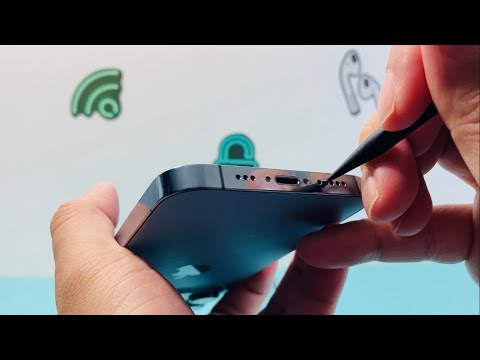
Diagnostic Assessment and Physical Debridement

Before proceeding with cleaning, it is essential to determine if the audio degradation is hardware-related or software-throttled. Use the iOS Diagnostic Mode or a third-party AI-driven frequency analyzer to test the decibel output across the low, mid, and high bands. If the output is inconsistent, proceed with physical cleaning.
Avoid using compressed air, as the high pressure can rupture the internal waterproof seals and damage the delicate speaker diaphragm. Instead, utilize a soft-bristled ESD-safe (Electrostatic Discharge) brush. Gently oscillate the brush over the speaker grilles at the bottom of the device and the earpiece at the top. For deep-seated micro-debris, a specialized cleaning adhesive (cleaning putty) can be applied with minimal pressure to lift particles out of the mesh without pushing them further in.
Software-Driven Sonic Ejection
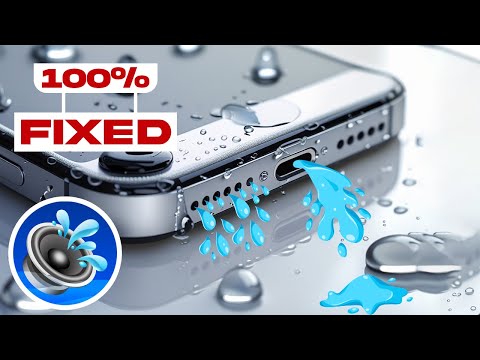
Modern iPhone maintenance is increasingly reliant on software automation. One of the most effective ways to clear the speaker mesh from the inside out is through Sonic Frequency Ejection. This process uses high-frequency sound waves to vibrate the speaker membrane, physically dislodging dust and even moisture.
You can automate this using Siri Shortcuts. By installing a "Water Eject" or "Speaker Cleaner" script, your iPhone can generate a specific sine wave tone (typically around 165Hz) that creates enough air displacement to clear the grilles. This is the same logic used by the Apple Watch for its water-locking feature, now accessible for iPhone audio maintenance through community-driven automation libraries.
AI Implementation Score
To evaluate how effectively technology and automation can solve this hardware maintenance issue, we have developed the following AI Implementation Score:
| Metric | Score (1-10) | Notes |
|---|---|---|
| Diagnostic Accuracy | 9/10 | AI apps can pinpoint specific frequency drops with high precision. |
| Automation Potential | 8/10 | Siri Shortcuts allow for one-touch sonic cleaning cycles. |
| Safety (Software vs. Manual) | 10/10 | Sonic ejection is non-invasive and carries zero risk of physical puncture. |
| Efficiency | 7/10 | While software clears fine dust, heavy debris still requires manual intervention. |
Final Calibration
Once the physical and sonic cleaning is complete, navigate to Settings > Accessibility > Audio/Visual to ensure the balance is centered. Many users mistake a balance shift for a clogged speaker. If the volume remains low after both physical cleaning and software frequency cycling, it is recommended to run a full system diagnostic to ensure the Audio IC chip has not suffered from thermal degradation.
