
Modifying the geolocation data on an iOS device involves more than a simple toggle switch. Because Apple integrates GPS, Wi-Fi triangulation, and cellular tower data into its Core Location framework, users must decide whether they need to change their App Store region, their IP address, or their GPS coordinates. At Smart AI Fix, we prioritize software efficiency and automation to bypass these hardware-level restrictions.
Method 1: Changing the Apple ID Store Region
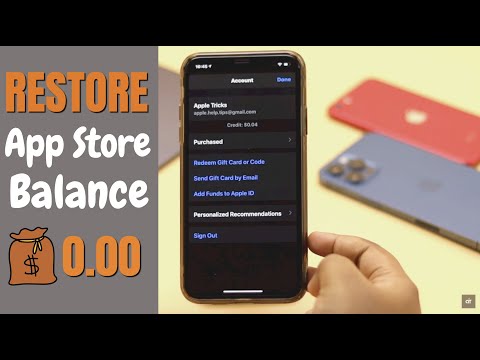
This is the standard software procedure for users moving to a new country or accessing region-locked applications. Note that this requires canceling active subscriptions and clearing any remaining Apple ID balance.
1. Open Settings and tap your name at the top.
2. Navigate to Media & Purchases > View Account.
3. Tap on Country/Region and select Change Country or Region.
4. Select your new location, agree to the Terms and Conditions, and input a valid payment method for that specific region.
Method 2: Network-Level Relocation via AI-Optimized VPNs

For users looking to bypass geo-blocking on streaming services or websites without altering their GPS data, a Virtual Private Network (VPN) is the most efficient tool. Modern VPNs utilize AI-driven server selection to identify the fastest pathing and lowest latency for a specific virtual location.
By installing a reputable VPN client, you encrypt your data and mask your IP address. Once the profile is installed in Settings > General > VPN & Device Management, the iPhone communicates with the web via a remote server, effectively changing your digital footprint to a different territory.
Method 3: GPS Spoofing via Desktop Automation Software
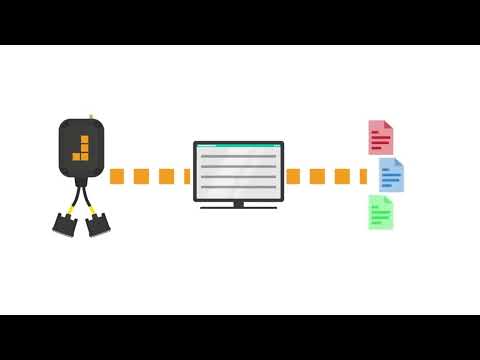
Apple does not allow GPS spoofing apps directly on the App Store for security reasons. To change the actual GPS coordinates (used by maps and location-based games), you must use desktop-based software that interfaces with the iOS Developer Mode. Tools like AnyTo or iTools utilize scripts to override the onboard GPS module.
To implement this, you must enable Developer Mode (Settings > Privacy & Security > Developer Mode) and connect the iPhone to a workstation. The software then pushes a modified "gpx" file to the device, forcing the system to report the fake coordinates as legitimate hardware data.
AI Implementation Score
We evaluated these methods based on their technical efficiency and the level of automation involved in the setup process.
| Method | AI Efficiency | Automation Level | Success Rate |
|---|---|---|---|
| Apple ID Region Change | Low | Manual | 95% |
| AI-Optimized VPN | High | Full Auto | 99% |
| GPS Spoofing (Desktop) | Medium | Semi-Auto | 85% |
Hardware Considerations

If you are looking to test these location-changing features on a secondary device, you can often find high-quality, cheap iPhones on Amazon (US). Using a dedicated testing device prevents interference with your primary Apple ID and allows for more aggressive experimentation with Developer Mode and beta software environments.
Always remember that frequent location jumping can trigger security flags within Apple’s fraud detection algorithms. When using automation to change location, ensure your intervals mimic realistic travel patterns to maintain account integrity.
