
The release of iOS 18 marks a significant evolution in Apple’s approach to battery longevity and power management hardware orchestration. For users of the iPhone 15 and iPhone 16 series, the operating system now provides granular control over the maximum state of charge (SoC), moving beyond the binary "80% Limit" seen in previous iterations. This level of control is essential for users seeking to minimize chemical aging in lithium-ion batteries by avoiding the high-voltage stress associated with a 100% charge.
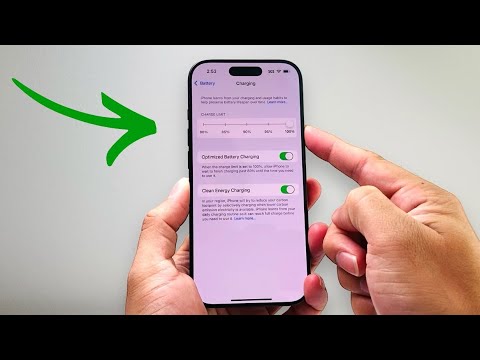
Steps to Configure the Granular Charging Limit in iOS 18
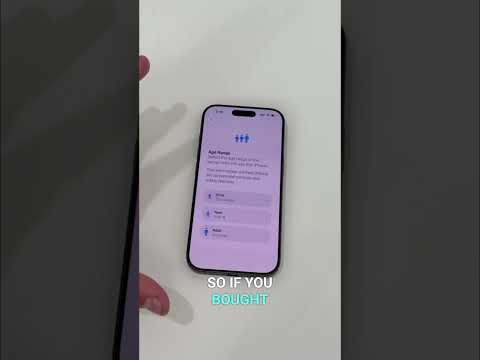
To access these sophisticated power management settings, ensure your device is updated to iOS 18 or later. Follow this technical workflow to adjust your parameters:
1. Open the Settings application on your iPhone.
2. Navigate to the Battery menu.
3. Tap on Charging.
4. Under the "Charge Limit" section, you will see a slider. You can now select a specific limit at 80%, 85%, 90%, 95%, or 100%.
By selecting a limit such as 85% or 90%, you provide the system with a buffer that balances daily utility with long-term hardware preservation. Once set, the iPhone will charge to that specific percentage and then stop, effectively idling the charging circuitry even if the device remains connected to a power source.
The Role of AI and Machine Learning in Power Optimization
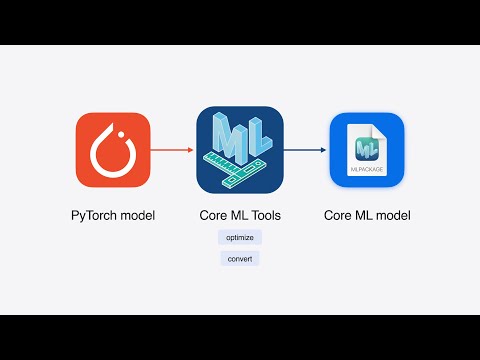
While manual limits offer direct user control, iOS 18 leverages on-device machine learning to improve charging efficiency. The "Optimized Battery Charging" feature remains a core component for those who prefer automation. This AI-driven system learns your daily charging routine and waits to finish charging past 80% until you specifically need it, based on predictive analysis of your historical usage patterns.
The synergy between manual limits and AI optimization allows for a personalized energy footprint. For instance, if the system detects an upcoming travel event via your calendar or frequent location data, it may suggest temporary adjustments to your limit to ensure maximum uptime.
AI Implementation Score: Battery Management
The following table evaluates the efficiency and intelligence of the new iOS 18 charging framework:
| Metric | Score (1-10) | Technical Justification |
|---|---|---|
| Efficiency | 9.5 | Minimizes thermal throttling and chemical degradation. |
| Automation | 8.0 | Machine learning accurately predicts wake-up times for top-off charging. |
| User Control | 9.0 | Introduction of 5% incremental limits increases flexibility. |
| Predictive Accuracy | 8.5 | Strong integration with user habits and system-level telemetry. |
Why Charge Limits Matter for Power Users
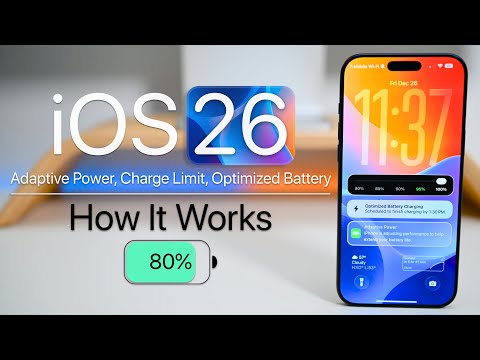
From a technical standpoint, maintaining a battery's SoC between 20% and 80% is the "sweet spot" for maximizing cycle life. Every time a battery reaches 100% and stays there at high voltage, the cathode material undergoes structural stress. By utilizing the iOS 18 Charge Limit, you are effectively using software-defined parameters to extend the physical lifespan of your hardware, reducing the need for premature battery replacements and improving the device's resale value over time.
