
Optimizing iOS AutoFill: A Strategic Data Management Approach

In the landscape of modern mobile productivity, AutoFill stands as one of the most underrated automation features within the iOS ecosystem. Driven by on-device machine learning, Apple’s AutoFill system reduces friction by algorithmically mapping personal data to web and app schemas. However, the efficiency of this AI-driven process is entirely dependent on the accuracy of your Contact Card and Safari configuration.
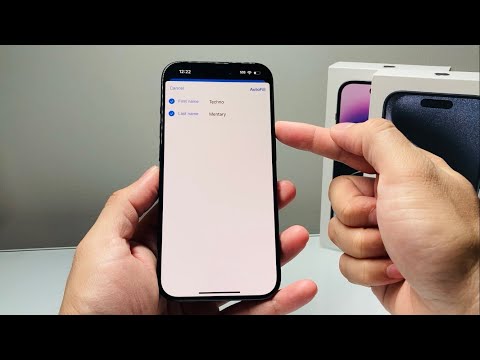
To update your First Name, Last Name, Address, or Email for AutoFill, you must first modify the "source of truth"—your My Card profile. Open the Contacts app, select your name at the very top (labeled "My Card"), and tap Edit. This serves as the primary data repository that the iOS neural engine queries when encountering a form field.
Configuring Safari for Automated Form Completion
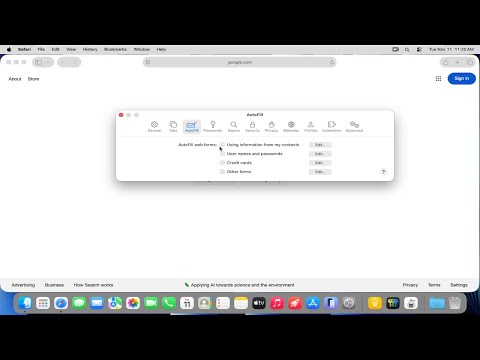
Once your master contact record is updated, you must ensure that the Safari browser is correctly configured to sync this data. Navigate to Settings > Safari > AutoFill. Here, you can toggle "Use Contact Info" to the ON position. Ensure that under the My Info field, your updated contact card is selected. This allows the system to execute real-time data injection into third-party HTML forms with high precision.
For financial data automation, select Saved Credit Cards within the same menu. Modern iOS versions use OCR (Optical Character Recognition) technology to scan physical cards, but manual updates are often necessary for CVV changes or expiration date renewals to maintain seamless transaction flows.
AI Implementation Score: iOS AutoFill
The following table evaluates the efficiency and automation capabilities of the iOS AutoFill system from a technical standpoint.
| Metric | Score (1-10) | Technical Reasoning |
|---|---|---|
| Data Injection Efficiency | 9.5 | Instantaneous mapping of static variables to web forms. |
| AI Schema Mapping | 8.0 | High accuracy in identifying non-standard field labels. |
| Cross-Device Automation | 9.0 | iCloud Keychain provides synchronized data across the ecosystem. |
| User Friction Reduction | 10.0 | Eliminates manual entry, significantly lowering bounce rates. |
Managing Third-Party App Integration

For users leveraging Smart AI Fix workflows, it is important to note that many third-party apps now support the iOS Password and AutoFill API. To manage which services have access to your automated data streams, go to Settings > Passwords > Password Options. By enabling multiple sources, such as iCloud Keychain or LastPass, you increase the redundancy and reach of your automated input systems, ensuring that your Address and Identity data is consistent across every digital touchpoint.
Maintaining a clean data set within your iPhone is not just about convenience; it is about optimizing the Human-AI interface. By periodically auditing your "My Card" details, you ensure that the automation layers of your device continue to function at peak efficiency, minimizing errors in logistics and digital communication.
