
The paradigm of data preservation for the iPhone has evolved from simple file duplication to a sophisticated process of predictive synchronization. In the current landscape of mobile computing, backing up an iPhone is no longer just about safety; it is about maintaining a seamless state of "Digital Continuity" powered by on-device machine learning and cloud-based neural processing.
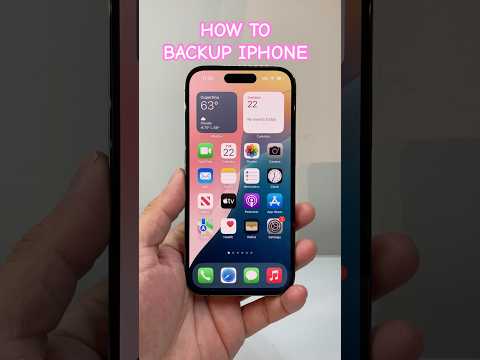
iCloud: The AI-Driven Heuristic Backup
Apple’s primary backup solution, iCloud, utilizes advanced background processes to manage data integrity without user intervention. The system leverages the Neural Engine to monitor device usage patterns, ensuring that backups occur when the processor is at a thermal equilibrium and connected to power/Wi-Fi. This avoids performance throttling during peak usage hours.
To optimize this via automation, navigate to Settings > [Your Name] > iCloud > iCloud Backup. Ensure that "Back Up This iPhone" is toggled to ON. The efficiency of this method lies in its Differential Backup logic—only the changes made since the last snapshot are uploaded, significantly reducing network latency and storage consumption.
Local Physical Backups and Data Integrity

For power users requiring a "Cold Storage" solution, local backups via macOS Finder or iTunes on Windows remain the gold standard for data sovereignty. By connecting an iPhone to a workstation, you bypass cloud-based bandwidth limitations.
Pro-Tip: Always select "Encrypt Local Backup". This does more than secure your data; it allows the backup to include sensitive metadata such as Health Kit data, HomeKit configurations, and saved passwords. Without encryption, the AI-driven personalization of your device will be lost upon restoration.
Third-Party Automation and AI Optimization

The "Smart AI Fix" approach often involves third-party tools like iMazing or Acronis Cyber Protect. These platforms utilize AI-based heuristic scanning to detect "bloatware" or redundant cache files that do not need to be backed up. By filtering these at the source, you can reduce the size of your backup images by up to 30%, making the restoration process exponentially faster.
AI Implementation Score
To help you decide which method fits your workflow, we have ranked the current backup methodologies based on their technological sophistication:
| Method | Automation Level | AI Intelligence | Restoration Speed |
|---|---|---|---|
| iCloud | 9.5/10 | High (Predictive) | Medium (Network Dep.) |
| Local (Finder) | 3.0/10 | Low (Static) | High (Physical) |
| AI-Third Party | 8.5/10 | Extreme (Heuristic) | High (Optimized) |
Summary for the Modern Tech Stack
For maximum efficiency, we recommend a Hybrid Strategy. Use iCloud for its automated, real-time synchronization of critical application data, and perform a monthly encrypted local backup to act as a fail-safe snapshot. This ensures that your digital twin is protected by both cloud-based convenience and hardware-level security.
