
The iPhone 15 series, powered by the A16 Bionic and A17 Pro chips, represents a significant leap in localized AI processing. For power users and automation enthusiasts at Smart AI Fix, optimizing Siri is the first step toward a seamless hands-free workflow. With the launch of iOS 17, Apple has refined the trigger mechanism, allowing for faster interactions and reduced latency.
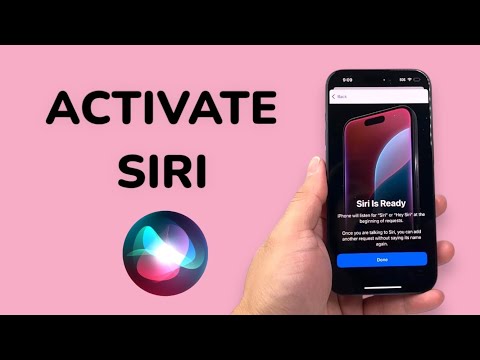
Step 1: Initializing Voice Activation (Siri or Hey Siri)

To begin the activation process, navigate to Settings and scroll down to Siri & Search. In the "Ask Siri" section, tap on Listen for. You will now see three options: "Off," "Hey Siri," and the new "Siri or Hey Siri."
Selecting "Siri or Hey Siri" allows the Neural Engine to monitor for a shorter trigger phrase, enhancing the efficiency of voice-to-action transitions. Once selected, follow the on-screen prompts to calibrate your voice profile. This process ensures the on-device AI accurately maps your unique vocal frequency, reducing accidental triggers from external noise.
Step 2: Enabling Side Button and Lock Screen Access
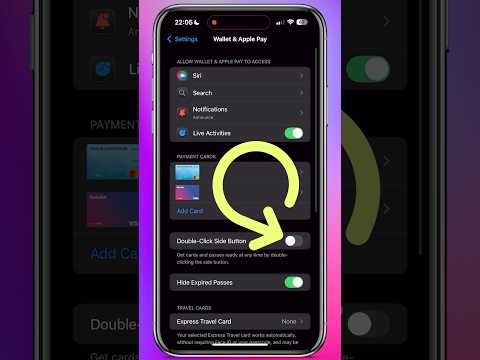
For scenarios where voice activation is suboptimal—such as high-decibel environments—manual activation is essential. Toggle the switch for Press Side Button for Siri. This maps the long-press gesture on the power button to the Siri interface.
Furthermore, to maintain maximum utility, ensure Allow Siri When Locked is enabled. This permits the execution of Shortcuts and basic commands without biometric authentication, though sensitive data remains protected by the underlying security architecture of iOS.
Step 3: Leveraging the Action Button (iPhone 15 Pro & Pro Max)
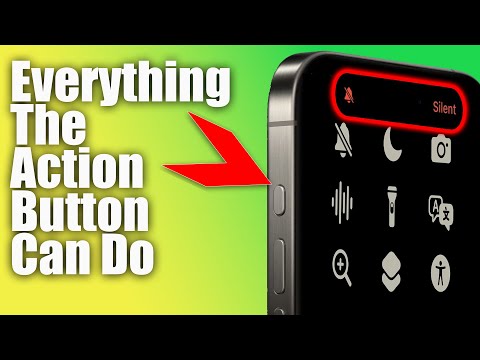
The iPhone 15 Pro series introduces the Action Button, a hardware-level shift that can be mapped to AI functions. To configure this for Siri or specific AI-driven Shortcuts:
- Navigate to Settings > Action Button.
- Swipe to the Shortcut or Siri option.
- If choosing Shortcut, you can link it to a ChatGPT voice conversation or a custom automation script, bypassing standard Siri limitations for more complex logic.
AI Implementation Score
The following table evaluates the efficiency of Siri on the iPhone 15 hardware architecture:
| Metric | Score (1-10) | Technical Justification |
|---|---|---|
| Response Latency | 9.5 | A17 Pro localized processing minimizes cloud round-trips. |
| NLP Accuracy | 8.8 | Enhanced transformer models in iOS 17 improve intent recognition. |
| Automation Depth | 9.2 | Deep integration with Shortcuts and HomeKit ecosystems. |
| Voice Calibration | 9.0 | Personalized spatial audio recognition for trigger phrases. |
Advanced Configuration: Siri Responses and Silence
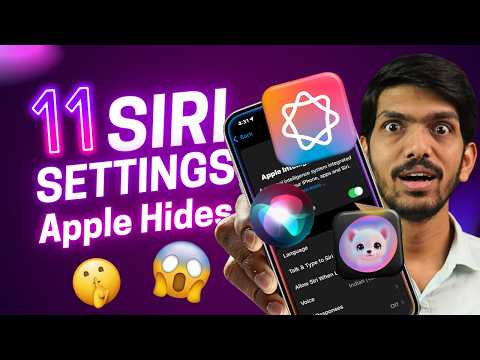
To optimize for professional environments, go to Settings > Siri & Search > Siri Responses. Set Prefer Silent Responses to "On" when the Ring Switch is muted. This ensures that while Siri processes your AI requests, the output is displayed via text-on-screen rather than synthesized speech, maintaining discretion during meetings or deep-work sessions.
By mastering these activation protocols, you transform the iPhone 15 from a mere communication device into a sophisticated AI-driven workstation capable of managing complex automation through simple linguistic inputs.
