
Transitioning to a new device in the Apple ecosystem has evolved from a manual file-transfer chore into a streamlined, AI-driven synchronization process. However, before you hand over your iPhone to a new owner or a trade-in partner, you must execute a specific sequence of protocols to ensure data integrity and security. Simply deleting photos is insufficient; you must trigger a cryptographic erasure to render your personal data unrecoverable.
1. Automate the Final Backup

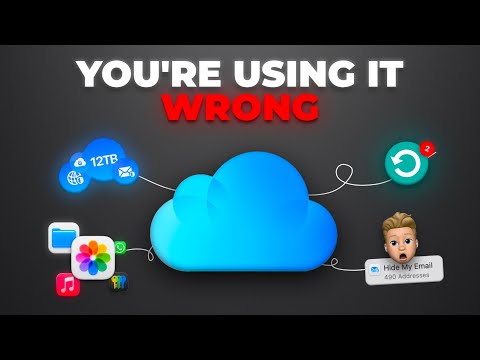
Before any data is purged, your first priority is a comprehensive backup. Modern iOS versions utilize machine learning to prioritize essential app data during the backup process. Navigate to Settings > [Your Name] > iCloud > iCloud Backup and select "Back Up Now." If you are moving to a new iPhone, Apple now provides temporary unlimited iCloud storage to facilitate the transfer, an automated efficiency boost that removes the friction of storage caps during hardware transitions.
2. Unpair Ecosystem Dependencies
If you use an Apple Watch, the unpairing process is a critical software step that many users overlook. When you unpair your Watch via the iPhone’s Watch app, the system automatically triggers a full backup of the Watch to your iPhone. This ensures that your health metrics and AI-calibrated fitness data are preserved for your next device. Once unpaired, your Watch is restored to factory settings, ready for a new Apple ID.
3. Deactivate Activation Lock and Find My

The "Find My" network is a powerful security feature, but it acts as a bricking mechanism if not disabled before a sale. Signing out of iCloud effectively disables the Activation Lock. Go to Settings > [Your Name] > Sign Out. You will be prompted for your Apple ID password to confirm. This step is non-negotiable; without it, the recipient will be unable to activate the device, rendering the hardware useless for resale.
4. Deregister iMessage (If Switching Ecosystems)

If your next device is not an iPhone, you must manually deregister iMessage to prevent the algorithmic routing of texts to your old iCloud account. Failing to do this results in "lost" text messages sent from other iPhone users. This can be done in Settings > Messages by toggling iMessage to "Off," or via Apple’s web-based deregistration tool if the device is already gone.
5. Execute the Cryptographic Erase

The final step is the most critical for data security. Navigate to Settings > General > Transfer or Reset iPhone > Erase All Content and Settings. Unlike traditional hard drive formatting, iOS uses cryptographic erasure. This process destroys the metadata keys required to decrypt your data, making recovery mathematically impossible even with advanced forensic software. The system will also automatically remove your cards from Apple Wallet and sign you out of all "Find My" services during this routine.
AI Implementation Score
How much of this process is handled by Apple’s automated system logic versus manual user input?
| Task | Automation Level | AI/Software Efficiency |
|---|---|---|
| Data Backup | High | Prioritizes frequently used app data via ML. |
| Watch Unpairing | High | Triggers automated cloud backup of wearable data. |
| Account Removal | Medium | Requires manual auth but automates license revocation. |
| Factory Reset | Full | Executes system-wide cryptographic key destruction. |
By following these steps, you ensure that your transition is as efficient as possible while maintaining a zero-trust security posture regarding your personal information.
