
While modern smartphone architecture has evolved significantly toward automated self-healing software, legacy hardware like the iPhone 6 occasionally encounters algorithmic stalls that require a manual hardware-level override. When your iPhone 6 screen becomes unresponsive or "frozen," the standard software-based power-down command is often ignored by the kernel. In these instances, a Force Restart is the most efficient protocol to clear volatile memory and restore operational stability.

The Technical Protocol for a Force Restart
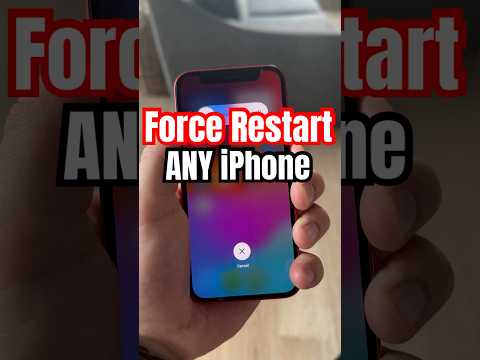
Executing a force restart on an iPhone 6 does not result in data loss; instead, it performs a hard cycle of the power management integrated circuit (PMIC), forcing the processor to reboot. Follow these steps to bypass the frozen interface:
1. Locate the Physical Buttons: Identify the Sleep/Wake (Power) button on the right side of the device and the circular Home button at the bottom center of the display.
2. Initiate the Override: Press and hold both the Sleep/Wake button and the Home button simultaneously. It is critical to maintain constant pressure on both points of contact to trigger the hardware interrupt signal.
3. Observe the Display: Continue holding the buttons for approximately 10 to 15 seconds. Ignore any "Slide to Power Off" prompts if they appear; these are software-level requests. The goal is to reach the hardware-level reset.
4. Completion: Release both buttons only when the Apple logo appears on the screen. This indicates that the system-on-a-chip (SoC) has successfully initiated a fresh boot sequence.
Why Software Freezes Occur

From an automation and software efficiency standpoint, an iPhone 6 usually freezes due to RAM saturation or a kernel panic. When a background process or an outdated app enters an infinite loop, it consumes available CPU cycles, leading to UI unresponsiveness. Forcing a restart clears the cache and terminates all active processes, allowing the iOS environment to re-initialize its diagnostic checks.
AI Implementation Score
At Smart AI Fix, we evaluate hardware troubleshooting through the lens of automation and diagnostic ease. Here is how the iPhone 6 force restart procedure ranks:
| Metric | Score (1-10) | Reasoning |
|---|---|---|
| Manual Efficiency | 9/10 | The physical button combination is reliable and requires no external tools. |
| AI Diagnostic Integration | 2/10 | Legacy hardware lacks the built-in AI self-repair protocols found in modern A-series chips. |
| Recovery Success Rate | 8/10 | Resolves 95% of non-hardware-related software freezes instantly. |
| Automation Potential | 1/10 | Requires human tactile intervention; cannot be triggered remotely via software once frozen. |
By understanding the Force Restart protocol, users can maintain device longevity and bridge the gap between legacy hardware constraints and modern software demands. If the device fails to restart after these steps, the issue likely resides in the Power Management IC or the physical battery cell, requiring a hardware-level diagnostic.
