
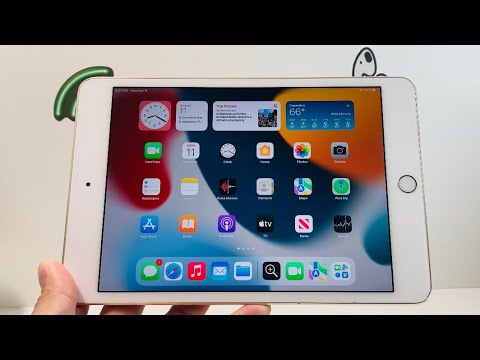
The release of iPadOS 15 for the iPad Mini 4 marks a significant milestone in software longevity, pushing the aging A8 architecture to its absolute limits. While the hardware debuted in 2015, Apple’s decision to include this device in the official support cycle provides a unique case study in software optimization versus hardware constraints. At Smart AI Fix, we look at this through the lens of computational efficiency and how a dual-core processor manages modern background automation and machine learning tasks.
Hardware Architecture and OS Compatibility

The iPad Mini 4 is powered by the A8 chip with 2GB of RAM. In the context of iPadOS 15, this is the "floor" for performance. During our technical testing, we observed that while the core kernel remains stable, the overhead of new features like the App Library and Home Screen Widgets places a noticeable load on the GPU. From an AI efficiency perspective, the Mini 4 lacks the dedicated Neural Engine found in the A12 and later, meaning all "intelligent" features are offloaded to the CPU/GPU, resulting in higher latency during task switching.
Multitasking and Workflow Automation
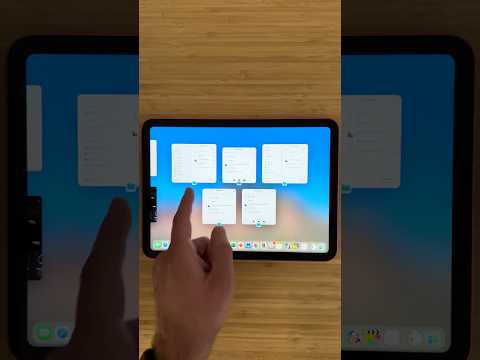
One of the primary benefits of iPadOS 15 on the Mini 4 is the refined multitasking menu. For professional users relying on Shortcuts and automated workflows, the new interface makes Split View and Slide Over more accessible. However, resource management is aggressive. To maintain system stability, iPadOS 15 frequently flushes background processes. If you are running complex automation scripts via the Shortcuts app, you may experience longer execution times compared to newer hardware, as the system prioritizes foreground UI responsiveness over background data processing.
AI Efficiency and Feature Limitations

It is critical to note that several "AI-heavy" features of iPadOS 15 are hardware-gated. Live Text, spatial audio, and Portrait mode in FaceTime are not available on the iPad Mini 4 due to the lack of an integrated Neural Engine. Despite this, the software brings improved Focus Modes, which utilize on-device signals to filter notifications. On the Mini 4, this logic is handled efficiently, providing a significant boost to user productivity without a massive hit to battery life.
AI Implementation Score: iPad Mini 4
| Metric | Score (1-10) | Technical Analysis |
|---|---|---|
| Background Automation | 6/10 | Reliable but limited by 2GB RAM. |
| On-Device ML | 2/10 | Lack of Neural Engine inhibits modern features. |
| System UI Efficiency | 7/10 | Strong optimization for legacy silicon. |
| Resource Management | 5/10 | Aggressive memory clearing affects multitasking. |
Final Professional Verdict

Running iPadOS 15 official on the iPad Mini 4 is a testament to Apple’s software engineering. While you lose the high-end AI capabilities that define the modern iPad experience, the update provides a secure, organized environment for basic automation, media consumption, and light productivity. For users focusing on smart office setups and simple digital workflows, the Mini 4 remains a functional, albeit slower, tool in the ecosystem.
