
Keeping your Apple Watch updated is essential for maintaining system stability, patched security vulnerabilities, and ensuring seamless integration with the broader iOS ecosystem. As software architectures become more complex, Apple has refined the update process to utilize both bridge-device tethering and standalone over-the-air (OTA) capabilities. Below are the two professional methods to execute a software update on your wearable device.
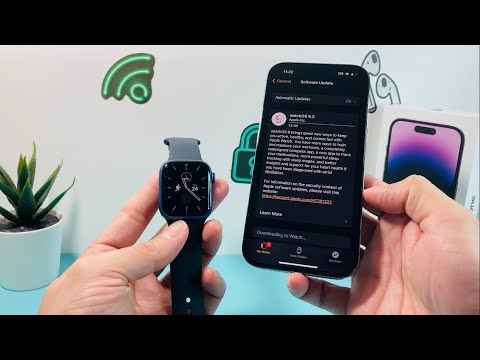
Method 1: Updating via iPhone (The Centralized Hub Approach)

This method leverages the computational power and stable Wi-Fi connection of your iPhone to manage the download and transfer of the watchOS package. It is the most reliable method for ensuring data integrity during the installation phase.
Step-by-Step Execution:
1. Ensure your iPhone is running the latest version of iOS and is connected to a stable Wi-Fi network.
2. Place your Apple Watch on its charger and ensure it has at least 50% battery capacity.
3. Open the Watch app on your iPhone.
4. Navigate to the My Watch tab and select General.
5. Tap Software Update. The system will ping Apple’s servers to check for available firmware.
6. If an update is available, tap Download and Install. You may be prompted for your iPhone or Apple Watch passcode.
Method 2: Direct On-Device Update (The Standalone Method)

For users running watchOS 6 or later, the Apple Watch can function independently of the iPhone to fetch updates. This method utilizes the watch's internal Wi-Fi radio to communicate directly with Apple's update servers, reducing the latency involved in data bridging.
Step-by-Step Execution:
1. Connect the Apple Watch to its magnetic charger.
2. On the Watch, open the Settings app (the gear icon).
3. Navigate to General > Software Update.
4. If a new version is detected, tap Install.
5. Follow the on-screen prompts. The device will undergo a cryptographic verification of the software package before rebooting to apply the changes.
AI Implementation Score
At Smart AI Fix, we evaluate software processes based on their efficiency and automation potential. Apple's update mechanism scores highly due to its background "Automatic Updates" feature, which uses predictive scheduling to install software while the user is asleep.
| Metric | Score (1-10) | Analysis |
|---|---|---|
| Automation Potential | 9.5 | AI-driven background scheduling minimizes user intervention. |
| Security Integrity | 10.0 | End-to-end encryption ensures the firmware remains untampered. |
| Data Efficiency | 8.0 | Delta updates ensure only changed blocks are downloaded. |
| User Friction | 7.5 | Requires a charger/50% battery, which acts as a manual bottleneck. |
Pro Tip: To optimize your workflow, enable Automatic Updates within the Software Update menu. This allows the system to utilize machine learning to determine your "down-time," ensuring the watch is updated without interrupting your daily biometric tracking or productivity cycles.
