
Modern iOS architecture is designed for seamless transitions between sleep states and full operational capacity. However, understanding the hardware-software handshake required to initiate a cold boot is essential for maintaining device health and ensuring your mobile automation workflows remain uninterrupted. As we look at the synergy between Apple’s silicon and power management systems, here are four technical methods to turn on your iPhone.
Method 1: The Standard Hardware Initialization (Side Button)
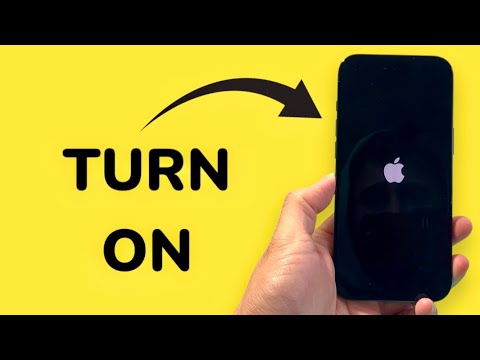
The most common way to activate an iPhone involves the Side button (on iPhone 8 and later) or the Top button (on older models). To initiate the boot sequence, press and hold the button until the Apple logo appears on the display. This physical trigger sends a signal to the Power Management Integrated Circuit (PMIC), which then allows the battery to distribute power to the logic board and initiate the kernel load.
Method 2: The Charging Trigger (Automated Boot)

iPhone hardware is programmed to prioritize connectivity and readiness. If your device is powered off, simply connecting it to a power source via a Lightning or USB-C cable will automatically trigger the boot process. This is a failsafe mechanism ensuring that a device with sufficient power is always reachable. In the context of AI efficiency, this allows for automated wake-ups once a power threshold is met, making it ideal for remote server-synced devices.
Method 3: The Forced Restart Sequence (Hardware Override)

When the software layer becomes unresponsive, a standard button press may fail. To force the hardware to cycle power, use the following sequence on iPhone 8 or later: Quickly press Volume Up, Quickly press Volume Down, and then press and hold the Side button. This bypasses the OS-level shutdown commands and forces the hardware to re-initialize. This method is critical for developers and power users dealing with software-level "hangs."
Method 4: Computer-Linked Initialization
Connecting your iPhone to a computer running iTunes or Apple Devices/Finder can often trigger a boot-up, especially if the device is in a recovery state. Once the data handshake is established between the computer and the iPhone’s controller, the device often powers on to establish a communication link. This is particularly useful for diagnostic purposes when the physical buttons are damaged or the screen remains black due to a software glitch.
AI Implementation Score
Below is a breakdown of how these methods integrate with system intelligence and automation readiness.
| Method | Efficiency Rating | AI Automation Potential | Primary Trigger |
|---|---|---|---|
| Physical Button | High | Manual Only | Mechanical |
| Charging Trigger | Maximum | Programmable/IoT | Electrical |
| Forced Restart | Moderate | Low (Diagnostic) | Logic Override |
| Computer Link | High | Software Defined | Data Handshake |
At Smart AI Fix, we recommend utilizing the Charging Trigger for smart home setups or automated testing environments, as it allows for external power management to dictate the device's operational state without human intervention. Mastering these boot methods ensures your hardware is always ready to support the next generation of mobile AI applications.
