
In the ecosystem of iOS utility, the LED flashlight remains one of the most frequently accessed hardware-software integrations. While seemingly basic, optimizing how you trigger this feature can significantly enhance user workflow efficiency. At Smart AI Fix, we focus on streamlining software interactions through automation and intelligent shortcuts. Here are the two primary methods to activate your iPhone flashlight using native iOS protocols.

Method 1: Tactical Access via the iOS Control Center

The Control Center provides the fastest manual interface for hardware manipulation. This method is ideal for users who prefer tactile software navigation without the need for voice prompts.
To execute this: 1. Swipe down from the top-right corner of your screen (on iPhone X or later) or swipe up from the bottom edge (on iPhone 8 or earlier). 2. Locate the Flashlight icon (resembling a handheld torch). 3. Tap the icon once to toggle the LED on or off. 4. Pro Tip for Efficiency: Long-press (Haptic Touch) the icon to bring up a vertical slider. This allows you to adjust the lumen intensity across four distinct levels, a feature often overlooked by casual users.
Method 2: AI-Driven Activation via Siri
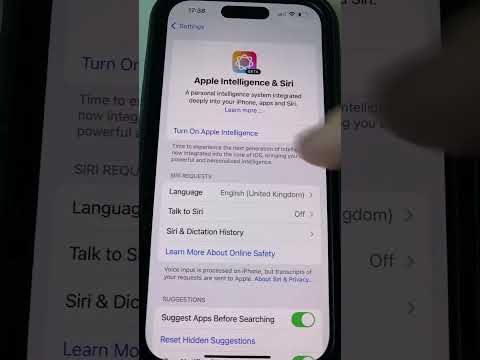
For a true automation-first experience, leveraging Siri eliminates the need for physical interaction with the device’s display. This is particularly useful in low-visibility environments or "hands-busy" scenarios.
To trigger via AI: 1. Ensure "Hey Siri" is enabled in your Settings. 2. Direct the voice command: "Hey Siri, turn on the flashlight." 3. To deactivate, simply state: "Hey Siri, turn off the flashlight." 4. Siri utilizes natural language processing (NLP) to execute this system-level command instantly, bypassing the UI layer entirely for maximum speed.
AI Implementation Score
To help you decide which method fits your workflow, we have rated these approaches based on their integration with smart systems and operational speed.
| Method | Accessibility | AI Integration | Efficiency Score |
|---|---|---|---|
| Control Center | High (Manual) | Low | 8/10 |
| Siri Voice Command | Hands-Free | High (NLP) | 9.5/10 |
By mastering these two methods, you transition from a basic user to an efficient operator of the iOS environment. Whether you prefer the precision of the Control Center or the automation of Siri, your iPhone's hardware is designed to respond to your specific environmental needs instantly.
