
Optimizing the user interface for hands-free operation is a cornerstone of modern mobile efficiency. For professionals utilizing iPhone devices in high-activity environments, manually toggling the speakerphone for every incoming or outgoing call is a friction point that can be eliminated through Call Audio Routing automation.
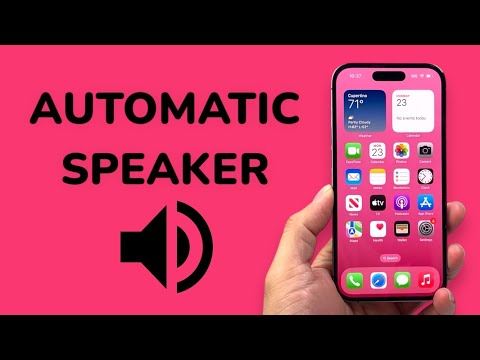
The Technical Path to Automatic Speaker Activation
iOS provides a deep-level accessibility setting that allows the system to override the default ear-piece output. This is not merely a convenience feature but a system-level automation that dictates how the Audio Engine handles voice streams. Follow these steps to configure the automation:
1. Launch the Settings application on your iPhone.
2. Navigate to the Accessibility menu. This section houses the hardware-level overrides for iOS.
3. Under the "Physical and Motor" subsection, select Touch.
4. Scroll to the bottom of the interface and tap on Call Audio Routing.
5. By default, this is set to "Automatic," which relies on proximity sensors. To force the speakerphone, select Speaker.
Once this configuration is active, every call—whether initiated via the Phone app, FaceTime, or third-party VoIP applications—will immediately default to the external speakers. This bypasses the need for manual haptic input during the connection phase.
Integration with AI and Voice Assistants

For a truly automated workflow, combining Call Audio Routing with Siri creates a seamless "Zero-Touch" environment. By setting the audio routing to "Speaker," you can utilize the "Hey Siri, call [Contact]" command and engage in a full conversation without ever physically interacting with the device. This is particularly effective for users leveraging AI-driven productivity tools that require simultaneous voice input and screen viewing.
AI Implementation Score: Call Audio Routing
To evaluate the efficiency of this hardware automation, we use the Smart AI Fix proprietary scoring matrix:
| Metric | Score (1-10) | Notes |
|---|---|---|
| Automation Depth | 9/10 | System-wide override across all communication apps. |
| User Friction Reduction | 10/10 | Eliminates manual toggling for every interaction. |
| AI Assistant Synergy | 8/10 | Significantly enhances Siri’s hands-free utility. |
| Reliability | 10/10 | Hardware-level setting with 100% trigger rate. |
By leveraging these internal iOS protocols, users can transform their handheld device into a dedicated hands-free communication hub. This shift toward automated audio management is a simple yet profound step in optimizing one's digital ecosystem for maximum output and minimal manual interference.
