
Modern mobile operating systems have evolved significantly, moving away from simple hardware switches to complex software-integrated power management systems. At Smart AI Fix, we prioritize efficiency and automation, and even a task as fundamental as powering down your device can be optimized through multiple interfaces.
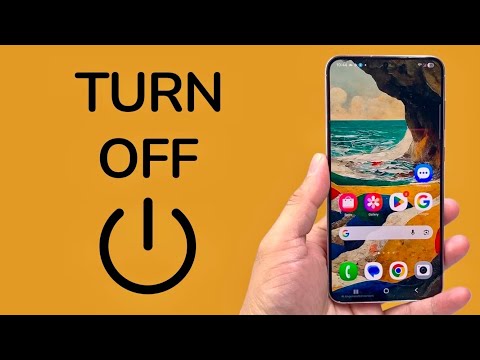
1. The Hardware Button Combination (Standard & Emergency)

On legacy devices, holding the Power Button alone would trigger the power menu. However, modern Android iterations (Android 12 and above) have remapped this to trigger the Google Assistant. To turn off most modern smartphones like the Pixel or Samsung Galaxy series, you must press and hold the Power Button and Volume Up button simultaneously. This hardware-level interrupt sends a signal to the kernel to display the power management overlay, allowing you to select "Power Off."
2. Software UI via Quick Settings

If your physical buttons are unresponsive or you prefer a software-centric approach, Android provides a built-in virtual power button. Swipe down twice from the top of your screen to fully expand the Quick Settings panel. In the bottom right (or top right, depending on the manufacturer skin), you will find a Power Icon. Tapping this triggers the same system UI as the hardware buttons, offering a touch-based solution that reduces mechanical wear on physical components.
3. AI Voice Assistant Integration

For those leveraging the full power of Android’s AI ecosystem, the Google Assistant can execute power commands through Natural Language Processing (NLP). By saying "Hey Google, power off" or "Hey Google, turn off my phone," the AI validates the intent and opens the power menu for confirmation. Note that for security reasons, the system typically requires a final manual tap or biometric verification before the final shutdown sequence initiates to prevent accidental voice-triggered shutdowns.
4. ADB Commands and Automation Scripts

For developers and automation enthusiasts, the Android Debug Bridge (ADB) offers the most efficient way to power off a device remotely or via script. By connecting your device to a workstation and enabling USB Debugging, you can execute the command adb shell reboot -p. This bypasses the graphical user interface entirely, sending a direct instruction to the system's power daemon to perform a graceful shutdown. This method is ideal for automated testing environments or server-side mobile management.
AI Implementation Score
Evaluating these methods based on automation potential and user efficiency:
| Method | Efficiency Score | Automation Potential | Best For |
|---|---|---|---|
| Hardware Buttons | 8/10 | Low | Daily manual use |
| Quick Settings UI | 9/10 | Low | Accessibility users |
| Google Assistant (AI) | 7/10 | Medium | Hands-free operation |
| ADB / Shell Commands | 10/10 | High | Developers & Automation |
By mastering these four methods, you ensure total control over your device's uptime, whether you are troubleshooting hardware failures or integrating your device into a wider AI-driven workflow.
