
Mastering Acer Laptop Power Cycles: The Win + X + U + U Protocol

In the landscape of modern computing, minimizing manual mouse interaction is the first step toward workflow automation. For Acer laptop users, the most efficient way to trigger a system shutdown is through the Win + X Quick Link menu. This method bypasses the GUI-heavy Start menu, utilizing direct kernel-level commands to terminate processes safely.
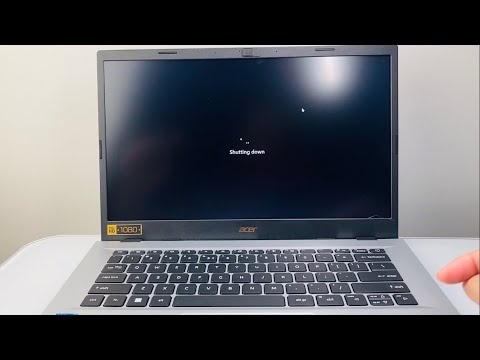
To execute this, press Windows Key + X to open the Quick Link menu. Immediately following this, press U once to expand the "Shut down or sign out" menu, and then press U again to confirm the shutdown. This Win + X + U + U sequence is the gold standard for high-speed hardware management.
The Legacy Automation: Alt + F4 Method

For users running optimized software environments where the desktop is the primary focus, the Alt + F4 shortcut remains a powerful tool. On an Acer laptop, ensure that your active windows are minimized or closed. Press Alt + F4 to bring up the "Shut Down Windows" dialog box. Since "Shut down" is typically the default AI-predicted action, simply hitting Enter will finalize the process.
Note: If your Acer laptop uses "Action Keys" for function rows, you may need to hold the Fn key (i.e., Fn + Alt + F4) depending on your BIOS configuration.
Emergency Software Termination: Ctrl + Alt + Delete

When the Windows Shell becomes unresponsive due to background software conflicts, the standard UI shortcuts may fail. In these instances, Ctrl + Alt + Delete acts as a hardware interrupt. Once the security screen appears, you do not need a mouse; use the Tab key to navigate to the Power icon in the bottom right corner, press Enter, and use the arrow keys to select "Shut down."
AI Implementation Score
At Smart AI Fix, we evaluate these manual techniques based on how well they integrate with automated power management and user efficiency.
| Criteria | Efficiency Score (1-10) | Automation Potential |
|---|---|---|
| Win + X Sequence | 9.5 | High (Macro-ready) |
| Alt + F4 Dialog | 8.0 | Moderate |
| Security Interrupt | 7.0 | Low (Manual Override) |
Advanced Automation: Creating a Shutdown Shortcut
For those looking to leverage AI-driven productivity tools like Elgato Stream Decks or custom macro keys on Acer Predator/Nitro series laptops, you can create a dedicated desktop shortcut. Right-click the desktop, select New > Shortcut, and enter the command: shutdown /s /t 0. You can then pin this to your taskbar and trigger it using Win + [Number], effectively creating a single-action automated shutdown sequence.
