
Optimizing UI Visibility: 4 Methods to Display Battery Percentage on iOS
For high-performance users and automation enthusiasts, real-time power monitoring is a critical component of device management. Knowing the exact numerical state of your iPhone’s charge allows for better planning of energy-intensive tasks, such as AI model rendering or automated background syncs. While Apple’s interface has evolved, there are four distinct technical workflows to surface this data effectively.
1. The Native System Toggle (iOS 16 and Later)

The most direct method to view your battery level involves a persistent UI modification within the status bar. This is the gold standard for users who require constant monitoring without additional gestures. To enable this, navigate to Settings, scroll down to Battery, and toggle on Battery Percentage. On modern iPhones with Face ID, the number is nested directly inside the battery icon, optimizing screen real estate for other system notifications.
2. Gesture-Based Query via Control Center
If you prefer a cleaner status bar but still need precise data on demand, the Control Center provides a non-permanent overlay. By swiping down from the top-right corner of the screen, the system expands the status bar information. In this expanded view, the percentage is automatically displayed next to the battery icon, regardless of your primary settings. This is a highly efficient "low-noise" workflow for those who prioritize aesthetic minimalism.
3. Dynamic Data Visualization: Home Screen Widgets

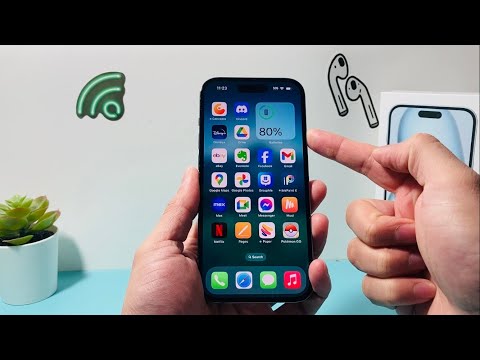
For those leveraging the iPhone as a hub for multiple peripherals (such as Apple Watch or AirPods), the Batteries Widget is the superior choice. Long-press any empty area on your Home Screen, tap the "+" icon, and select "Batteries." This widget uses system-level API data to show the live percentage of your iPhone and all connected Bluetooth devices. It offers a higher level of data transparency than the simple status bar icon.
4. AI-Powered Status Queries via Siri

Leveraging Natural Language Processing (NLP) is the most hands-free way to check your power status, especially when your device is mounted or being used as a secondary screen. By triggering Siri with the command "Hey Siri, what's my battery percentage?", the AI assistant parses the current power telemetry and provides an auditory and visual response. This method integrates seamlessly into automated workflows where physical interaction with the hardware is limited.
AI Implementation Score
To help you decide which method fits your workflow, we have analyzed each based on its technical efficiency and integration level.
| Method | Efficiency Rating | AI/Automation Level | Best For |
|---|---|---|---|
| System Toggle | High | Low | Always-on Monitoring |
| Control Center | Medium | Low | Minimalist UI |
| Battery Widget | High | Medium | Multi-device Ecosystem |
| Siri Command | Medium | High | Hands-free Automation |
Maintaining a precise understanding of your hardware's energy state is the first step toward optimizing long-term battery health and ensuring that your software automations never fail due to unexpected power loss.
