
In the evolving landscape of mobile communication, the shift from asynchronous text to high-fidelity audio data has been accelerated by Apple’s refinements in the iMessage ecosystem. Leveraging on-device machine learning and the Neural Engine, sending a voice recording text message on an iPhone is no longer just about capturing sound; it is about utilizing a streamlined interface for rapid information exchange and automated transcription.
The Technical Workflow for iOS 17 and Beyond
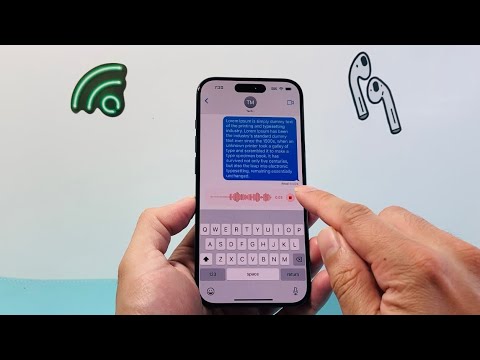
Apple recently redesigned the iMessage interface, moving the audio message utility from the primary input bar into the "Apps" expansion menu. To initiate a voice recording, follow these technical steps:
1. Open the Messages app and select an existing conversation or start a new one.
2. Tap the plus (+) icon located to the left of the text input field.
3. Select Audio from the vertical list of options. A waveform interface will appear at the bottom of the screen.
4. Tap the red microphone icon to begin recording. For hands-free recording, you can simply tap once to start and tap the stop button when finished.
5. Review the waveform. You can play back the recording or tap the Send (blue arrow) button to transmit the data package.
AI-Driven Transcription and Automation

One of the most significant upgrades in recent iOS updates is the automatic transcription of audio messages. As soon as a voice recording is received, the system utilizes the Apple Neural Engine to process the audio file and provide a text preview directly below the recording. This allows the recipient to consume the information without needing to play the audio in public or loud environments, representing a leap in software accessibility and AI efficiency.
Furthermore, users can optimize their storage automation by navigating to Settings > Messages > Expire (under Audio Messages). Setting this to "After 2 Minutes" ensures that transient audio data does not consume local disk space, whereas "Never" allows for permanent archival of the voice data.
AI Implementation Score
The following table evaluates the efficiency and technological integration of Apple's current voice messaging system from an AI perspective:
| Criteria | Score (1-10) | Technical Impact |
|---|---|---|
| Transcription Accuracy | 8.5 | High-level NLP (Natural Language Processing) on-device. |
| User Interface (UX) | 9.0 | Streamlined "Plus" menu reduces visual clutter. |
| Processing Speed | 9.5 | Near-instantaneous waveform rendering and encoding. |
| Automation Potential | 7.0 | Siri integration allows for "Hey Siri, send a voice message." |
Pro Tip: The Raise to Listen Feature
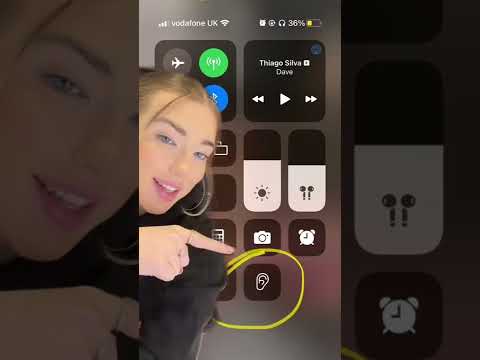
For those prioritizing efficiency, the Raise to Listen feature (found in Settings > Messages) uses the iPhone's proximity sensor and accelerometer. By simply raising the phone to your ear, the system automatically plays an incoming audio message and initiates a recording mode for a reply once the playback concludes. This hardware-software synergy minimizes the need for manual touch inputs, exemplifying modern mobile automation.
