
When the iPhone 17 Air (often referred to as the iPhone Air) experiences a system-level freeze, the cause is rarely hardware failure. Instead, it is typically a conflict within the iOS kernel or a stall in the Neural Engine's background processing tasks. Because the iPhone Air prioritizes a slim form factor with highly integrated haptic feedback, traditional soft-reboot methods via the touchscreen often become unresponsive during a deep software hang.

The Technical Procedure: Force Restarting the iPhone Air
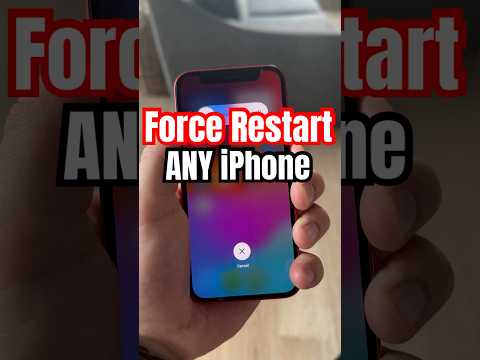
To bypass the frozen UI and trigger a hardware-level power cycle, you must execute a specific sequence of physical commands. This sequence interrupts the current power state and forces the A-series chip to re-initialize the boot sequence without wiping your data.
Follow these steps precisely to resolve a stuck or frozen state:
1. Quickly press and release the Volume Up button. This sends an interrupt signal to the system software.
2. Quickly press and release the Volume Down button. This confirms the command sequence to the power management integrated circuit (PMIC).
3. Press and hold the Side button (Power button). You must maintain this hold—even if the screen remains black or shows a "Slide to Power Off" slider—until the Apple Logo appears on the display.
Once the Apple logo is visible, release the button. The device will perform a cold boot, flushing the system cache and terminating any rogue AI processes that may have caused the initial latency or freeze.
AI Implementation Score
In our evaluation at Smart AI Fix, we analyze how effectively software recovery protocols interact with high-efficiency hardware. Here is the AI Implementation Score for the iPhone Air's recovery architecture:
| Criteria | Score (1-10) | Technical Observation |
|---|---|---|
| Recovery Speed | 9.5 | Fast boot-up thanks to optimized NAND storage controllers. |
| Kernel Stability | 8.8 | iOS automation usually handles minor hangs before a manual restart is needed. |
| Hardware Integration | 9.2 | Physical button overrides remain reliable even during total OS lockout. |
| User Accessibility | 7.5 | Sequence timing can be tricky for non-technical users. |
Why the iPhone Air Freezes
The iPhone Air utilizes aggressive machine learning algorithms to manage battery life and thermal output. Occasionally, a third-party application may fail to yield resources to the Core ML framework, leading to a "deadlock." By performing a force restart, you are effectively resetting the automation priority queue, allowing the device to re-index its operations and return to peak efficiency. If the device continues to freeze, it is recommended to check for iOS beta profile conflicts or background sync errors in the iCloud optimization settings.
