
Understanding the Protocol Disconnect in Cross-Platform Messaging

In the ecosystem of modern mobile communication, the inability to send messages from an iPhone to an Android device is rarely a hardware failure. Instead, it is typically a software-level protocol mismatch. While Apple-to-Apple communication utilizes the proprietary iMessage protocol (end-to-end encrypted data over IP), communication with Android devices relies on legacy SMS (Short Message Service) and MMS (Multimedia Messaging Service). When your iPhone fails to "handshake" with the Android recipient, the device's automated fallback logic has likely been compromised.
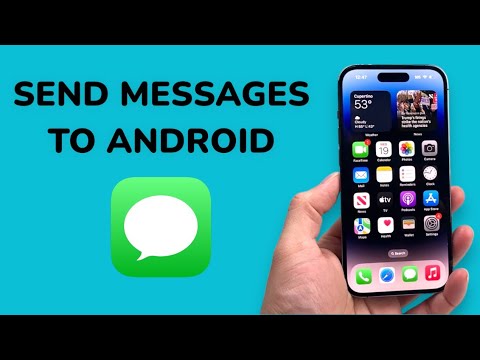
Step 1: Optimizing the SMS/MMS Fallback Logic

The primary reason for failure is the iPhone attempting to force an iMessage through to a non-iOS number. To resolve this via software settings, navigate to Settings > Messages. You must ensure that Send as SMS is toggled to the "On" position. This allows the iOS kernel to automatically switch to cellular signaling when the iMessage server returns a "destination unreachable" error for non-Apple IDs. Additionally, ensure MMS Messaging and Group Messaging are enabled to allow the transfer of media and multi-user data packets across different operating systems.
Step 2: Automating Network Handshake Resets
If the protocols are active but messages still fail, the issue often lies in the Carrier Settings Bundle or a corrupted DNS cache. You can force a refresh of these network parameters without a full device wipe. Navigate to Settings > General > Transfer or Reset iPhone > Reset > Reset Network Settings. This action clears stored Wi-Fi passwords and VPN configurations, but more importantly, it forces the iPhone to re-negotiate its connection with the cellular tower, updating the MMSC (Multimedia Messaging Service Center) settings automatically.
Step 3: Correcting the iMessage Server Routing

In cases where the Android recipient previously owned an iPhone, Apple’s centralized routing servers may still recognize their phone number as an active iMessage account. This causes your iPhone to send "blue bubble" messages that the Android device cannot decrypt. To fix this, the recipient must deregister their number from iMessage. This can be done remotely through Apple's official web portal. Once deregistered, Apple's AI-driven routing tables update globally, allowing your iPhone to recognize the number as a "green bubble" SMS target.
AI Implementation Score
To evaluate the efficiency of these troubleshooting steps in the context of modern software automation, refer to the table below:
| Metric | Score (1-10) | AI Efficiency Analysis |
|---|---|---|
| Protocol Automation | 9 | iOS automatically switches between IP and SMS if the fallback toggle is active. |
| Network Optimization | 8 | Network resets automate the re-provisioning of carrier-specific APN settings. |
| Routing Intelligence | 7 | Server-side deregistration fixes global database errors in message routing. |
Advanced Diagnostics: Check for Software Conflicts

If the problem persists, the conflict may be caused by third-party security software or outdated Carrier Settings. Go to Settings > General > About; if an update is available, a prompt will appear automatically within seconds. This ensures your software stack is compatible with the latest 5G and LTE messaging standards utilized by Android's RCS (Rich Communication Services) gateways, which Apple is progressively integrating into newer iOS iterations.
