
The Mechanics of Data Sanitization in the AI Era

In the evolving landscape of machine learning (ML) and localized data processing, a factory reset is no longer just a simple "wipe." For the modern iPhone user, a factory reset represents a total recalibration of the Neural Engine and the clearing of accumulated algorithmic caches that dictate user experience. Whether you are preparing for a hardware upgrade or troubleshooting deep-seated software anomalies, understanding the technical precision of a "Clean Slate" operation is vital for maintaining peak AI efficiency.
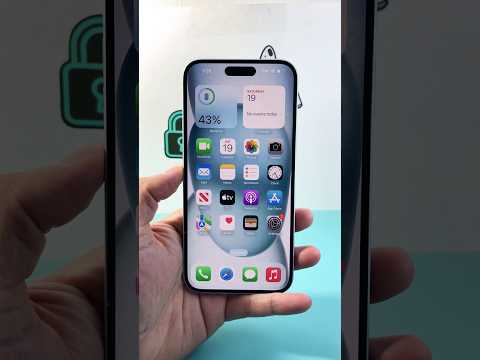
A factory reset (or a "System Restore") executes a cryptographic erasure. Instead of merely overwriting bits, iOS destroys the metadata keys required to decrypt the user partition. This ensures that even with advanced forensic software, the data remains unrecoverable, fulfilling the highest standards of data privacy and security.
The AI Implementation Score: Reset Efficiency
To understand the technical value of this process, we have categorized the factory reset workflow based on its impact on device automation and intelligence.
| Process Metric | Automation Level | Efficiency Score | AI Impact |
|---|---|---|---|
| Cloud Synchronicity | High | 9.5/10 | Pre-reset predictive backup. |
| Cryptographic Wipe | Full | 10/10 | Instantaneous key destruction. |
| Post-Reset Indexing | Medium | 7.5/10 | Rebuilding Spotlight & ML models. |
Standard Protocol: Executing the Reset via iOS Software
For most scenarios, the integrated software interface is the most efficient route. This process leverages Apple’s automated logic to ensure all accounts are decoupled and the "Find My" activation lock is addressed before the wipe begins.
1. Data Integrity Check: Navigate to Settings > [Your Name] > iCloud > iCloud Backup. Ensure the latest snapshot of your device state is uploaded. AI-driven background synchronization usually handles this, but a manual trigger ensures no delta is lost.
2. The Initiation: Navigate to Settings > General > Transfer or Reset iPhone. This menu is a centralized hub for migration and sanitization.
3. Erase All Content and Settings: Select this option. The system will provide a summary of the items to be removed, including eSIMs, Apple ID credentials, and localized ML data. Press Continue.
4. Authentication: Enter your passcode and Apple ID password. This step is critical as it communicates with Apple’s servers to de-authorize the hardware from your digital ecosystem.
Advanced Methodology: Using DFU Mode for Deep Optimization
When the software layer is non-responsive or the iOS kernel shows signs of instability, a Device Firmware Update (DFU) reset is required. This is the deepest level of reset possible, bypassing the loaded OS to interact directly with the hardware's Secure Enclave.
To execute a DFU reset, connect the iPhone to a workstation (Mac or PC). Perform a rapid sequence of Volume Up, Volume Down, and then hold the Side Button. Once the screen goes black, hold the Volume Down button simultaneously with the Side Button for five seconds. Release the Side Button while continuing to hold Volume Down. Your workstation will detect an iPhone in recovery mode, allowing for a fresh firmware injection. This method is preferred by Senior Tech Architects to ensure that any persistent software "ghosts" or corrupted AI cache files are permanently purged.
By executing these steps, you ensure that the hardware is ready for its next lifecycle phase, optimized for maximum computational throughput and free from legacy data bottlenecks.
