
In the secondary smartphone market, distinguishing between a clean device and one that has been iCloud bypassed is a critical technical skill. An iCloud bypass is essentially a software workaround that allows a user to access the springboard of an iOS device without knowing the original Apple ID credentials. However, these devices are often crippled in functionality, lacking the ability to make calls, use iMessage, or receive OTA updates.
The Anatomy of an iCloud Bypass

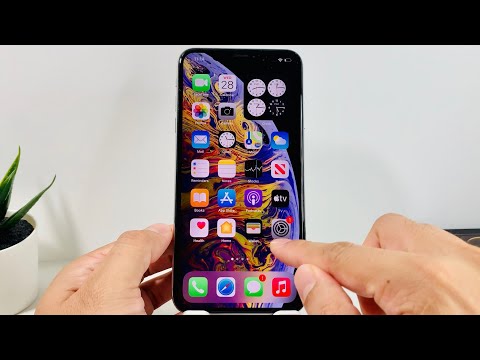
Most modern bypasses utilize vulnerabilities like the Checkm8 exploit or unauthorized Mobile Device Management (MDM) profiles. From an architectural standpoint, a bypassed device hasn't truly been unlocked; the activation screen is merely hidden or skipped via a script. For the savvy buyer or technician, identifying these "ghost" profiles requires a systematic approach using both manual inspection and automated diagnostic software.
Method 1: The Hard Reset (Gold Standard)
The most foolproof way to detect a bypass is to perform a full factory reset. A bypassed device will immediately revert to the Activation Lock screen once the system is wiped. Navigate to Settings > General > Transfer or Reset iPhone > Erase All Content and Settings. If the seller refuses to allow this, it is a definitive red flag that the device is running a bypassed file system.
Method 2: MDM and Configuration Profile Inspection

Many bypass scripts install a hidden MDM profile to prevent the device from communicating with Apple’s activation servers. To check this, go to Settings > General > VPN & Device Management. If there are profiles installed that you did not authorize, or if the device mentions "Remote Management," the iPhone is likely bypassed or stolen from a corporate environment.
Method 3: IMEI and Serial Number Verification
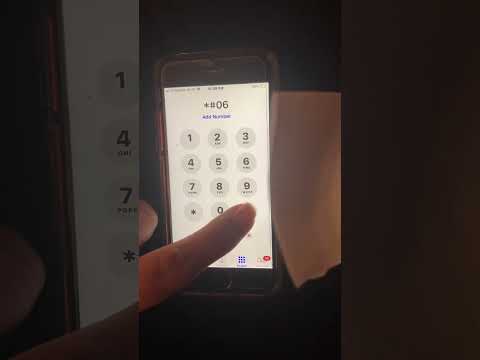
Utilizing AI-driven databases and GSX (Global Service Exchange) reports is the most efficient way to check status remotely. By inputting the IMEI into a reputable verification tool, you can check the "FMI" (Find My iPhone) status. If the tool reports FMI: ON but the device appears to be at the home screen without an Apple ID signed in, you are looking at a bypassed unit.
AI Implementation Score
At Smart AI Fix, we evaluate the efficiency of detection methods based on speed, accuracy, and automation potential.
| Factor | Score (1-10) | Technical Note |
|---|---|---|
| Automated Detection | 9/10 | AI tools can cross-reference GSX data in milliseconds. |
| Accuracy | 10/10 | Factory reset provides a 100% definitive result. |
| Speed | 8/10 | Physical inspection takes roughly 5 minutes. |
| Risk Mitigation | 9.5/10 | Prevents purchase of "paperweight" hardware. |
Method 4: Hardware and Feature Testing

Because many bypasses interfere with the Baseband (the chip responsible for cellular connectivity), a quick way to check is to insert a valid SIM card. If the device shows "No Service" or "Searching" indefinitely despite being "unlocked," the activation records in the SEP (Secure Enclave Processor) are likely missing or corrupted due to a bypass script.
Always prioritize software transparency. Using automated IMEI checkers and performing a hardware-level reset ensures that your investment is secure and that the device is legally cleared for use on Apple’s ecosystem.
