
Maintaining a Tesla's peak performance requires a deep dive into its Battery Management System (BMS). Unlike traditional internal combustion engines, a Tesla is a software-defined machine where battery health is managed by complex AI algorithms that balance cell voltage, temperature, and discharge rates. Monitoring degradation is essential for optimizing long-term ROI and vehicle efficiency.
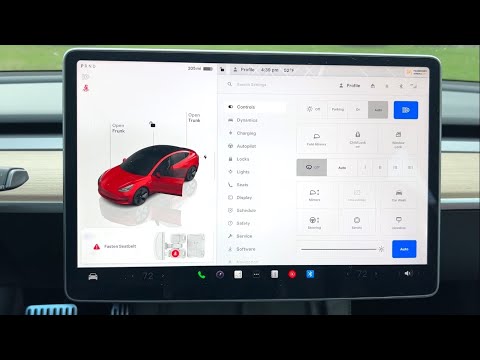
Method 1: Utilizing the Tesla Energy App (Basic Assessment)
The first step in software-based monitoring is the native Energy App within the Tesla UI. This tool uses real-time data to visualize how your driving habits and environmental factors impact energy consumption. To access a high-level view of your efficiency, navigate to the Energy icon on your touchscreen. While this doesn't give a "percentage" of health, it shows the delta between projected range and actual range, which is a primary indicator of BMS calibration.
Method 2: The Tesla Service Mode Health Test (Advanced)
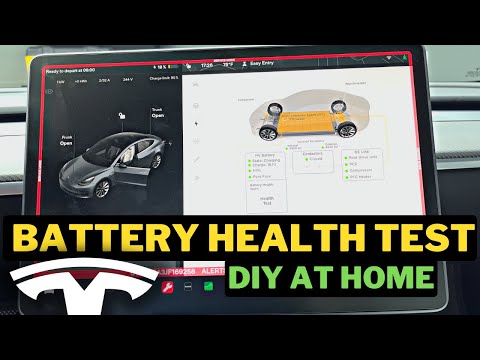
For a definitive, hardware-level diagnostic, users can trigger the internal Battery Health Test via Service Mode. This is a fully automated software routine that discharges and recharges the battery to calculate its exact remaining capacity. Note: This process can take up to 24 hours and requires a Level 2 charger.
1. Go to Software and long-press the vehicle model name (e.g., "Model 3") until a ripple effect appears.
2. Enter the access code: service.
3. Navigate to Service Settings > Battery > Health Test.
4. Ensure the vehicle is plugged into a wall connector and follow the automated prompts.
The system will then run a software-driven discharge cycle. Once finished, the screen will display a percentage score (e.g., 92%), representing the current health relative to its original factory capacity.
Method 3: Third-Party AI Data Analysis

For enthusiasts who prefer continuous monitoring without the downtime of a Service Mode test, third-party platforms like Tessie or Recurrent are invaluable. These tools use Tesla's Fleet API to gather data points every time you drive or charge. By using machine learning models and comparing your battery’s performance against thousands of similar vehicles in their database, these apps provide predictive analytics on your battery's lifespan and degradation curve.
AI Implementation Score
To understand how these methods rank in terms of automation and technical depth, refer to the table below:
| Diagnostic Method | Automation Level | Data Accuracy | AI Predictive Power |
|---|---|---|---|
| Energy App | High | Moderate | Low |
| Service Mode Test | Manual Trigger | Maximum | None (Point-in-time) |
| API-Based Apps | Full Automation | High | High |
By leveraging these software-centric tools, owners can move away from "range anxiety" and toward proactive vehicle management. Understanding the data generated by your Tesla is the most efficient way to ensure your battery remains healthy for the duration of the vehicle's lifecycle.
