
Apple’s integration of machine learning via the Neural Engine has transformed the iPhone from a simple communication device into a sophisticated image-processing powerhouse. With the release of recent iOS iterations, the ability to change photo backgrounds has moved from manual masking in Photoshop to near-instantaneous AI segmentation on-device.
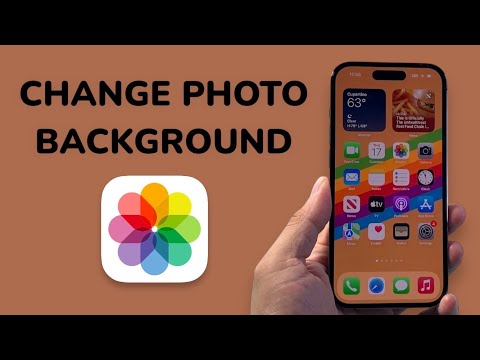
The Native AI Extraction Method: Visual Look Up
The most efficient way to isolate a subject on an iPhone is through the native Visual Look Up feature. This process utilizes advanced computer vision to identify the edges of a subject and separate it from the background metadata.
To execute this, open the Photos app and select your image. Long-press on the primary subject (person, pet, or object). You will notice a shimmering outline indicating that the AI has successfully mapped the subject's contours. Tap Copy or Share. From here, you can paste the transparent subject into any app—such as Keynote, Pages, or a third-party graphic design tool—to apply a new background.
Automating Background Removal with iOS Shortcuts

For users looking for automation and efficiency, the iOS Shortcuts app provides a way to batch-process background removals without opening individual photos. By creating a custom shortcut using the "Remove Image Background" action, you can process multiple files simultaneously.
Navigate to the Shortcuts app, create a new shortcut, and search for the "Remove Background" action. Set the input to "Shortcut Input" or "Select Files." Once executed, the iPhone’s on-device AI strips the background and saves the result as a PNG with transparency. This is the gold standard for high-volume workflows.
Advanced AI Background Replacement via Third-Party Tools

While the native tool excels at removal, changing the background to a specific AI-generated environment requires more robust software like Adobe Express or Photoroom. These applications leverage generative AI to analyze the lighting and perspective of your subject, ensuring that the new background matches the original shadows and highlights.
Simply upload your isolated subject to these platforms, select a "Generative Background" prompt, and the AI will render a seamless environment that maintains photorealistic integrity. This is ideal for e-commerce or professional branding where consistency is paramount.
AI Implementation Score
The following table evaluates the efficiency and technical depth of the iPhone’s current background manipulation capabilities:
| Metric | Score (1-10) | Technical Reasoning |
|---|---|---|
| Extraction Accuracy | 9/10 | Excellent edge detection on hair and complex textures using Neural Engine. |
| Processing Speed | 10/10 | On-device inference happens in milliseconds without cloud latency. |
| Automation Potential | 8/10 | Deep integration with iOS Shortcuts allows for scalable workflows. |
| Generative Depth | 6/10 | Native tools lack background 'filling'; requires 3rd party API for generation. |
By leveraging on-device machine learning, iPhone users can now bypass traditional editing bottlenecks. Whether you are using the native long-press method for a quick edit or an automated Shortcut for mass processing, the power of AI-driven segmentation has made manual masking obsolete.
