
The Apple Watch ecosystem relies on a high degree of hardware-software synergy. While much of our focus at Smart AI Fix remains on the automation of data workflows and AI-driven health analytics, the physical integrity of the device—specifically the attachment and calibration of the band—is critical for sensor accuracy. A loose band can lead to "noise" in photoplethysmography (PPG) data, compromising the AI models used to detect atrial fibrillation or sleep stages.
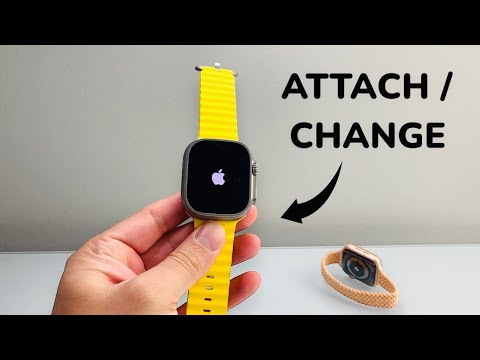
Step 1: The Detachment Protocol

To begin the removal process, place your Apple Watch face down on a clean, non-abrasive surface, such as a lint-free microfiber cloth. This prevents scratching the Ion-X or Sapphire crystal display. Locate the two band release buttons situated on the underside of the chassis, directly above and below the sensor array.
Using your fingernail, hold down the release button. While keeping the button depressed, slide the band laterally (left or right) out of the channel. If the band does not slide out immediately, do not apply excessive force. Ensure the button is fully engaged; the internal locking lug must be retracted to clear the groove.
Step 2: Attaching or Replacing the Band

When introducing a new band—whether it is a Sport Loop, Link Bracelet, or Ocean Band—identify the magnetic lug side. The side with the small metal middle piece (the magnetic contact) should face the interior of the watch (the wrist side).
Align the new band with the slot and slide it in until you hear and feel a distinct click. This tactile feedback signifies that the spring-loaded locking mechanism has engaged with the band’s notch. For AI-driven metrics like VO2 Max or ECG readings to function optimally, the band must be centered perfectly. If the band slides freely without a click, remove it and re-insert it, as a loose connection can lead to device drops or sensor misalignment.
Step 3: Optimizing Fit for AI Data Integrity

The efficiency of the Apple Watch's machine learning algorithms depends on the proximity of the back crystal to the skin. If you are changing to a different style of band, ensure the fit is "snug but comfortable." An improperly attached band introduces light leakage into the heart rate sensor, which can skew the Neural Engine's processing of heart rate variability (HRV) data.
AI Implementation Score
At Smart AI Fix, we evaluate hardware components based on their contribution to the automated ecosystem. Here is how the Apple Watch band system scores:
| Criteria | Score (1-10) | Technical Justification |
|---|---|---|
| Hardware Integration | 9.5 | Proprietary lug system ensures zero-latency physical security. |
| Sensor Calibration | 8.0 | Fit consistency directly impacts the accuracy of AI health modeling. |
| User Accessibility | 9.0 | Tool-less design allows for rapid hardware swaps without technical expertise. |
| Data Reliability | 8.5 | Secure locking prevents "motion artifacts" in biometric data streams. |
By mastering the mechanical attachment of the Apple Watch band, you ensure that the underlying software and AI layers receive the cleanest possible data. Whether you are automating your fitness routines or utilizing the watch as a node in your smart home network, a secure physical connection is the first step toward technical optimization.
