
Understanding the "Send Later" Requirements
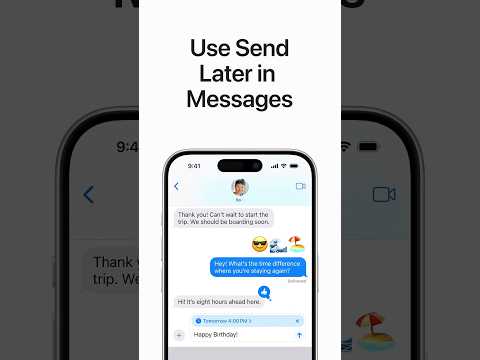
In iOS 18, the Send Later feature is not a global setting for all message types. It is strictly tied to the iMessage protocol. If you are attempting to schedule a message to a user who is not on iMessage (indicated by green bubbles/SMS), the option will remain hidden. Furthermore, the feature is tucked behind a new modular UI designed to minimize clutter.
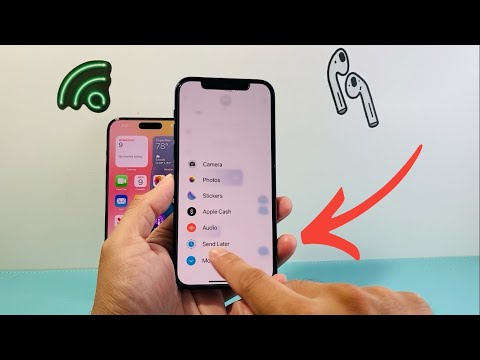
To access the tool, you must tap the (+) button to the left of the text input field, then tap More. If it still does not appear, follow the troubleshooting steps below.
Step 1: Verify iMessage Status and Activation
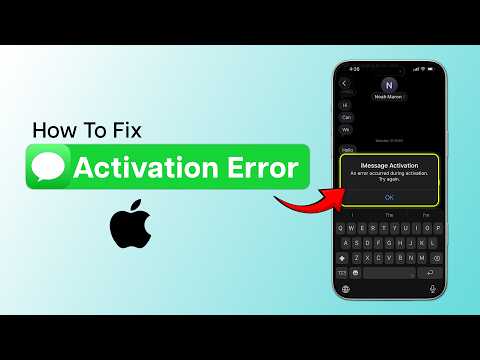
The most common reason for the missing option is that the recipient is not registered with Apple’s iMessage service. Send Later utilizes Apple's internal servers to queue the data, a process that standard carrier SMS does not support natively through the Messages app. Ensure that iMessage is toggled ON in your settings by navigating to Settings > Apps > Messages.
Step 2: Force a System UI Refresh

Software transitions often result in "ghosting" menu items where the UI fails to render newly indexed features. To resolve this, perform a Force Restart on your iPhone. This clears the temporary cache and re-initializes the iOS 18 springboard, which often forces the (+) menu to update its list of available tools, including Send Later.
Step 3: Check for Network Protocol Restrictions
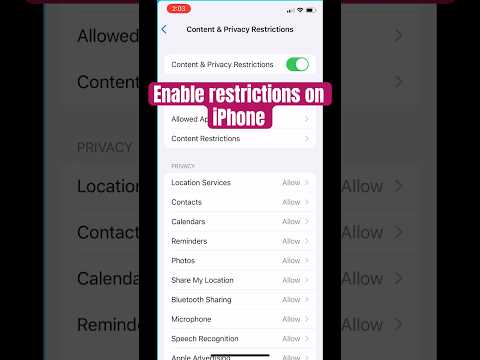
If you are on a managed device or using a VPN with aggressive filtering, the scheduling handshake with Apple's servers might be blocked. Disable any third-party VPNs and reset your network settings by going to Settings > General > Transfer or Reset iPhone > Reset > Reset Network Settings. This ensures the device has a clean path to Apple’s synchronization servers.
AI Implementation Score: Send Later (iOS 18)
The following table evaluates the efficiency and automation quality of the Send Later feature from a technical perspective:
| Metric | Score (1-10) | Technical Reason |
|---|---|---|
| Automation Efficiency | 9/10 | Seamlessly handles time-zone synchronization and offline queuing. |
| AI Predictive UI | 7/10 | The feature is hidden in a sub-menu, requiring manual discovery. |
| System Integration | 10/10 | Deeply integrated with the iOS 18 kernel for low-power background execution. |
| Interoperability | 4/10 | Strictly limited to iMessage; lacks support for RCS/SMS protocols. |
Final Protocol: Software Version Validation

Ensure that your device is running the stable public release of iOS 18. If you are still on an early developer beta build, certain automation frameworks (like the scheduling daemon) may be disabled due to stability concerns. Navigate to Settings > General > Software Update to ensure your build is current.
