
Mastering Physical Connectivity: Managing the iPhone X SIM Interface
While the tech industry shifts toward eSIM automation and virtual provisioning, maintaining physical hardware remains a critical skill for the efficient technologist. The iPhone X, a landmark device in Apple’s design evolution, utilizes a single Nano-SIM slot located on the right-hand chassis. Managing this component correctly ensures seamless network handshakes and prevents data latency issues caused by poor physical contacts.
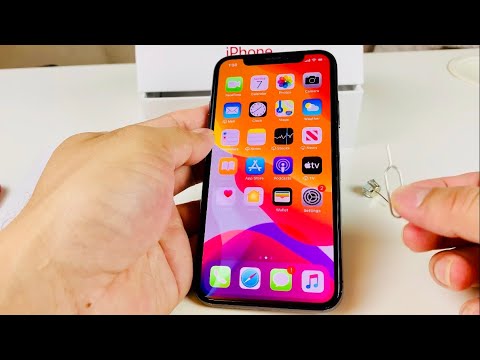
Step-by-Step: Removing the Nano-SIM Card

To begin the removal process, you must locate the SIM tray on the right side of the iPhone X, situated just below the side power button. Ensure the device is powered down to prevent any localized electrical surges or software mounting errors during the physical disconnect.
1. Insert a SIM eject tool or a high-gauge paperclip into the small circular aperture on the tray. 2. Apply firm, perpendicular pressure. You will feel a mechanical release as the internal spring-loaded latch disengages. 3. Once the tray pops out, pull it carefully from the frame. Avoid touching the gold contact points on the SIM card to prevent static discharge or oil contamination, which can interfere with the device's signal processing algorithms.
Step-by-Step: Inserting the Nano-SIM Card
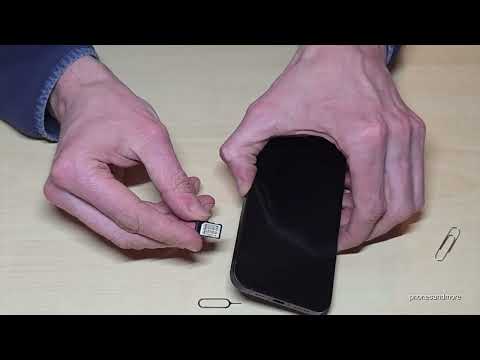
The iPhone X tray is precision-engineered to accept the SIM card in only one orientation. This "error-proofing" or poka-yoke design ensures that hardware alignment is maintained without the need for advanced diagnostic software.
1. Place the Nano-SIM card into the tray. The notched corner must align perfectly with the notch in the tray. 2. Ensure the card sits flush within the tray boundaries. 3. Re-insert the tray into the iPhone X frame, ensuring it is oriented correctly. 4. Push the tray back into the device until it is fully seated and level with the stainless steel band. 5. Power on the device. The iOS software will automatically initiate a carrier handshake to re-establish cellular data protocols.
AI Implementation Score: Physical SIM Management
At Smart AI Fix, we evaluate hardware tasks based on their potential for automation and efficiency. Below is the AI Implementation Score for the iPhone X SIM process:
| Metric | Score (1-10) | Notes |
|---|---|---|
| Automation Potential | 2/10 | Highly manual; requires physical dexterity. |
| Software Synchronization | 9/10 | iOS automates carrier settings instantly. |
| AI Diagnostic Ease | 7/10 | System logs can easily identify SIM failure. |
| Future Obsolescence | 8/10 | eSIM technology is rapidly replacing this manual task. |
By mastering these manual hardware interactions, you ensure that your legacy hardware remains a functional part of your automated ecosystem. For those looking to scale their hardware fleet, finding reliable units is key; many professionals utilize curated marketplaces to find high-performance iPhone X units at a fraction of the cost, optimizing their hardware ROI.
