
The iPhone 7 remains a staple device in the secondary market and for budget-conscious users seeking a reliable iOS experience. While newer models have transitioned toward eSIM technology, the iPhone 7 utilizes a physical Nano-SIM card. Correct hardware installation is the foundational step for cellular connectivity, which can be further optimized through software diagnostics and automation routines.
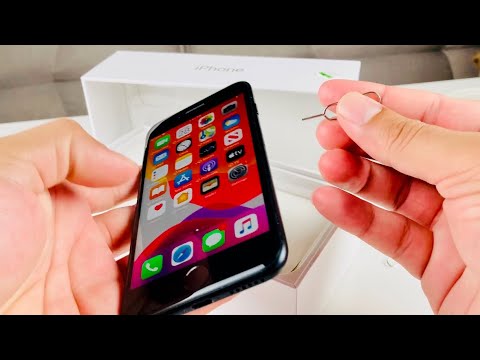
Physical Installation: The Nano-SIM Procedure
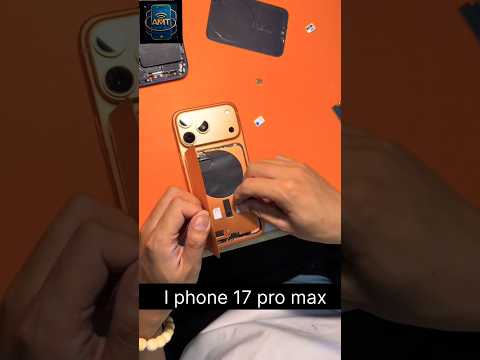
To begin the installation, locate the SIM tray on the right-hand side of the device, just below the power button. You will need a SIM-eject tool or a standard small paperclip. Insert the tool into the pinhole and apply firm, steady pressure. The tray will pop out slightly, allowing you to pull it out manually.
Place your Nano-SIM card into the tray. Note the notched corner on the card; this ensures the card can only be seated in one orientation. Once the card is flush with the tray, slide the tray back into the iPhone 7 until it is fully locked. The device should automatically begin the "Searching" process to identify the network carrier.
Troubleshooting No Service: Software and AI Diagnostics
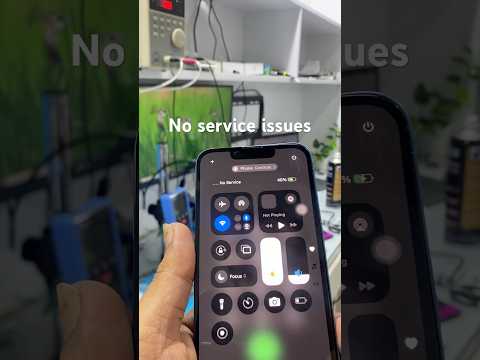
If the device displays "No Service" or "Searching" indefinitely, the issue is often related to Carrier Settings or software glitches rather than hardware failure. First, navigate to Settings > General > About. If a carrier update is available, a prompt will appear automatically within 15 seconds. This is an automated handshake between your hardware and the cellular network.
If the prompt does not appear, perform a Network Settings Reset. Go to Settings > General > Transfer or Reset iPhone > Reset > Reset Network Settings. This clears cache files and resets cellular configurations, forcing the iOS kernel to re-initialize the cellular radio. From a technical perspective, this removes legacy automated configuration scripts that may be causing a loop in the signal acquisition phase.
AI Implementation Score
While physical SIM installation is a manual hardware task, modern diagnostic tools use AI to predict network failures and optimize signal strength. Below is the AI Implementation Score for this procedure:
| Category | Score (1-10) | Analysis |
|---|---|---|
| Hardware Precision | 2 | Requires manual dexterity; limited automation potential for end-users. |
| Network Provisioning | 9 | Carrier handshake is fully automated via cloud-based AI servers. |
| Diagnostic Automation | 8 | iOS utilizes machine learning to identify and report signal interference patterns. |
| Overall Efficiency | 6.5 | A hybrid of manual hardware input and automated software validation. |
In cases of persistent failure, ensure the iPhone 7 is updated to the latest supported version of iOS. Apple has previously issued automated firmware patches specifically for "No Service" issues on certain iPhone 7 models (Model A1660, A1780, and A1779) caused by a component failure on the main logic board. If the software reset fails, verify your model number to see if it qualifies for an official repair program.
