
The Technical Procedure: Physical SIM Integration
To ensure your device interfaces correctly with carrier-side AI provisioning systems, the physical installation must be precise. This guide applies to the iPhone 7 series through the iPhone 8 series, as they share the same chassis architecture for cellular connectivity.
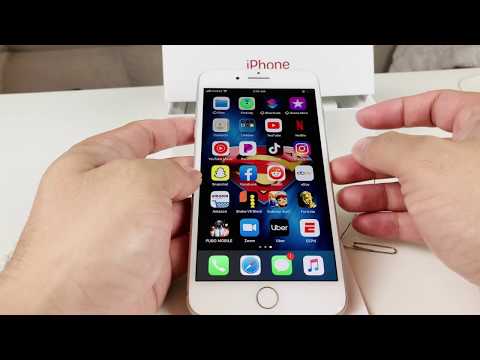
Step 1: Preparation and Safety. Before interacting with the internal circuitry, power down your device. This prevents electrostatic discharge and ensures the iOS kernel can initiate a fresh handshake with the SIM’s Integrated Circuit Card Identifier (ICCID) upon reboot.
Step 2: Locating the SIM Interface. On the right-hand side of the iPhone 7 Plus or iPhone 8 Plus, locate the small pinhole on the SIM tray. Use an official Apple SIM ejector tool or a high-gauge paperclip. Apply firm, perpendicular pressure until the tray mechanism disengages.
Step 3: Nano-SIM Orientation. These models utilize the Nano-SIM standard. Place the SIM card into the tray, ensuring the notched corner aligns perfectly with the tray’s mold. The gold contacts must face downward toward the logic board to facilitate the data bridge.
Step 4: Seating and Activation. Slide the tray back into the device until it is flush with the frame. Upon powering on the device, the software will automatically detect the carrier and download necessary APN settings via Apple’s automated configuration servers.
AI Implementation Score: Physical SIM Management
How does this manual task rank in our efficiency and automation matrix? Here is the breakdown for the iPhone 7/8 Plus hardware interface:
| Metric | Score (1-10) | Technomentary Analysis |
|---|---|---|
| Ease of Execution | 9 | High tactile reliability; minimal tool requirement. |
| Automation Potential | 2 | Requires physical human intervention; cannot be remote-triggered. |
| Software Integration | 8 | iOS instantly triggers carrier AI provisioning upon detection. |
| Hardware Durability | 7 | Mechanical tray is robust but prone to debris interference. |
Troubleshooting and Software Handshakes
If your iPhone 7 Plus fails to recognize the SIM, it is often a software-level sync error rather than a hardware failure. Ensure you are running the latest compatible version of iOS to allow the device to utilize Apple’s latest automated network optimization algorithms. If the "No SIM" error persists, inspect the card for micro-scratches that may disrupt the data flow between the card and the device’s internal modem.
By mastering this physical interface, you provide the necessary "edge" hardware foundation required for your device to participate in the broader AI ecosystem, from automated cloud backups to real-time machine learning processes in photo processing and Siri suggestions.
