
The iPhone 14 Pro Max, powered by the A16 Bionic chip, is a marvel of hardware-software integration. However, even the most advanced iOS environments can encounter kernel panics, unresponsive touch layers, or background process loops that stall the UI. When the software layer becomes unresponsive, a standard shutdown is impossible. This requires a hardware-level force restart to interrupt the power cycle and refresh the system state without data loss.

The Precise Force Restart Sequence
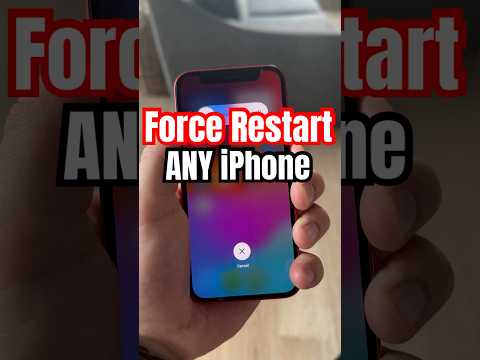
Executing a force restart on the iPhone 14 Pro Max requires a specific rhythmic sequence to ensure the Secure Enclave and the CPU register the command as a hard reset rather than a standard volume adjustment. Follow these steps precisely:
1. Press and quickly release the Volume Up button. This signals the initial interrupt to the system kernel.
2. Press and quickly release the Volume Down button. This confirms the secondary sequence in the hardware reset handshake.
3. Press and hold the Side Button (Power). Do not release this button when the "Slide to Power Off" slider appears. Continue holding until the screen turns black and the Apple Logo reappears on the display.
Once the logo is visible, release the button. The device will perform a cold boot, flushing the volatile RAM and terminating any hung software processes that were causing the bottleneck.
Software Efficiency and Post-Reset Optimization

From a Smart AI Fix perspective, a force restart should be viewed as a diagnostic tool rather than a frequent necessity. If your iPhone 14 Pro Max requires frequent hard resets, it indicates an underlying iOS optimization issue or a memory leak within a third-party application. Modern AI-driven diagnostics can often identify these patterns. After the reboot, we recommend checking Settings > Privacy & Security > Analytics & Improvements > Analytics Data to look for "panic-full" logs which highlight systemic failures.
To automate system health, ensure that Background App Refresh is managed by iOS's on-device machine learning, which prioritizes power for essential tasks and reduces the likelihood of a system freeze.
AI Implementation Score: iPhone 14 Pro Max Recovery
| Metric | Score (1-10) | Analysis |
|---|---|---|
| Recovery Efficiency | 9.5 | Hardware-level interrupt bypasses software stalls instantly. |
| Data Integrity | 10.0 | Zero risk of data loss compared to a factory restore. |
| AI Diagnostic Utility | 8.0 | Post-reset logs provide deep insights into software conflicts. |
| Automation Potential | 7.5 | Requires manual input; however, predictive iOS updates reduce frequency. |
By mastering this force restart protocol, users can maintain peak operational efficiency on their iPhone 14 Pro Max, ensuring that software anomalies do not hinder the performance of the device's high-computational AI features.
