
The iPhone 12 Pro remains a powerful tool for mobile cinematography, largely due to the synergy between the A14 Bionic chip and its sophisticated computational photography stack. To capture high-fidelity 4K footage, users must navigate the software layers that manage the 10-bit HDR processing and the Neural Engine’s real-time frame analysis.
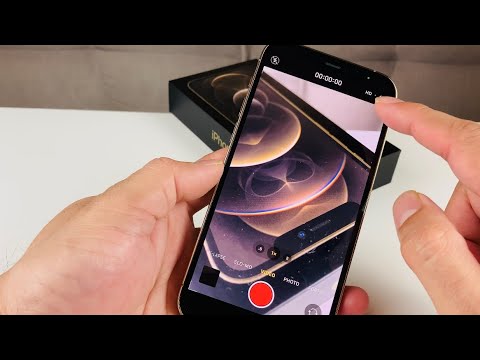
Configuring System Settings for 4K Output

By default, iOS may prioritize storage efficiency over maximum resolution. To enable 4K recording, follow this technical workflow:
1. Navigate to Settings and scroll down to the Camera sub-menu. This is where the hardware-software handshake is localized.
2. Select Record Video. Here, you will see several options. To maximize clarity, select 4K at 24 fps, 30 fps, or 60 fps.
3. Pro Tip for Cinematographers: Select 24 fps if you are aiming for a traditional film look, as the A14 Bionic optimizes motion blur algorithms at this frame rate.
The Role of AI and Dolby Vision
The iPhone 12 Pro was the first to introduce Dolby Vision HDR recording. This isn't just a filter; it is an automated AI process where the device records metadata for every frame to optimize dynamic range. Ensure HDR Video is toggled 'On' within the Record Video settings to utilize the 10-bit color depth processing. This automation ensures that highlights and shadows are balanced via the Smart HDR 3 algorithm without requiring manual exposure adjustments in post-production.
For users concerned with storage automation, ensure that Formats is set to High Efficiency (HEVC). This codec uses advanced compression logic to maintain 4K quality while reducing the file size by nearly 50% compared to H.264.
AI Implementation Score: iPhone 12 Pro Videography
| Feature | AI Automation Logic | Efficiency Score (1-10) |
|---|---|---|
| Smart HDR 3 | Neural Engine pixel-by-pixel segmenting | 9.4 |
| Deep Fusion | Texture analysis in mid-to-low light | 8.9 |
| HEVC Compression | Software-based bitrate optimization | 9.2 |
| Auto FPS | Dynamic frame rate adjustment based on lux levels | 8.5 |
Maximizing Hardware Stability

While the Optical Image Stabilization (OIS) handles physical lens movement, the iPhone 12 Pro utilizes Electronic Image Stabilization (EIS) driven by AI to predict movement patterns. When recording in 4K, these two systems work in tandem to eliminate micro-jitters. For professional results, always lock your focus and exposure by long-pressing on the viewfinder; this prevents the AI from recalibrating the scene during a critical take, ensuring consistent data ingestion for the final 4K render.
