
When the sophisticated architecture of the iPhone 12 Pro encounters a software hang, kernel panic, or an unresponsive UI, a standard power-off sequence may not be accessible. From an AI efficiency standpoint, these freezes often result from stalled background processes or memory leaks within the A14 Bionic chip's Neural Engine. To restore operational equilibrium, a hardware-level force restart is the most effective protocol.
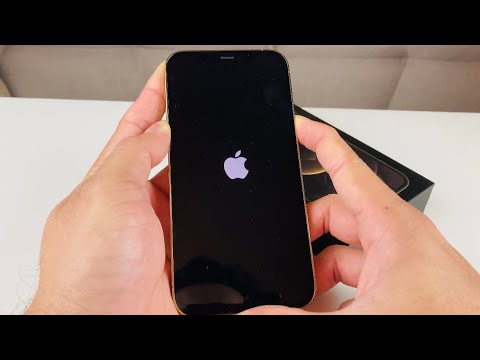
The Technical Protocol: Step-by-Step Force Restart

Executing a force restart on the iPhone 12 Pro requires a specific rhythmic sequence to bypass the software layer and trigger a hard reboot via the power management controller. Follow these steps precisely:
1. Volume Up: Press and immediately release the Volume Up button.
2. Volume Down: Press and immediately release the Volume Down button.
3. Side Button: Press and hold the Side (Power) button. Continue holding this button even when the "Slide to Power Off" slider appears on the screen.
Maintain the hold on the Side button until the Apple logo illuminates on the display. Once the logo appears, release the button and allow the iOS environment to re-initialize its core services and AI-driven background automation.
Why Force Restarting Optimizes Software Performance

Unlike a factory reset, a force restart does not erase user data. Instead, it forcefully clears the RAM (Random Access Memory) and terminates all active instruction cycles. For users relying on Smart AI Fix methodologies, this is the primary step in troubleshooting automation errors, Siri unresponsiveness, or latency in machine learning-heavy tasks like computational photography.
AI Implementation Score
To evaluate how this procedure impacts the device's intelligent subsystems, we have rated the effectiveness of the force restart below:
| Metric | Score (1-10) | Technical Reasoning |
|---|---|---|
| Execution Efficiency | 9/10 | Requires no software interaction, bypassing OS-level freezes. |
| Neural Engine Recovery | 8/10 | Flushes stalled AI processes and resets hardware-level tasking. |
| Data Integrity | 10/10 | Zero risk to stored data; purely a system power cycle. |
| Automation Stability | 7/10 | Resets background daemons responsible for Shortcuts and HomeKit. |
If your iPhone 12 Pro continues to experience performance degradation after a force restart, the issue likely resides in a deeper software corruption or a hardware-level power delivery failure. In such instances, a full DFU (Device Firmware Update) may be necessary to re-flash the operating system and re-optimize the AI integration layers.
