
In the modern mobile ecosystem, iCloud functions as more than just a storage locker; it is the central nervous system of the iOS architecture. For users of iPhone and iPad, iCloud provides the automated synchronization layer required to maintain data integrity across multiple nodes. As a technical architect at Smart AI Fix, I view iCloud as an essential automation tool that leverages Apple's on-device AI to optimize workflows and secure telemetry data.
What is iCloud? Defining the Ecosystem Engine
iCloud is Apple's proprietary cloud computing service that automates the process of data synchronization, backup, and device management. Unlike traditional cloud drives that require manual uploads, iCloud operates in the background, using machine learning algorithms to determine which files are frequently accessed and should remain on-device versus those that can be offloaded to the cloud to save local storage.
How to Initialize and Configure iCloud on iOS

To deploy iCloud on your iPhone, follow these high-level technical steps to ensure maximum synchronization efficiency:
1. Authentication: Open the Settings app and tap on your Apple ID at the top of the interface. If you have not yet signed in, enter your credentials. Ensure Two-Factor Authentication (2FA) is active to secure your biometric and keychain data.
2. Service Activation: Tap on iCloud. Here, you will see a list of "Apps Using iCloud." To maximize AI-driven efficiency, toggle on Photos, iCloud Drive, and Keychain.
3. Optimizing Storage: Within the Photos submenu, select Optimize iPhone Storage. This allows the iOS kernel to automatically replace high-resolution images with smaller versions when local disk space is low, while the full-resolution originals remain encrypted in the cloud.
Advanced Automation: iCloud Drive and Backup
For power users, iCloud Drive serves as a cross-platform file system. By enabling this, you can automate document syncing between your iPhone and Mac or PC. Furthermore, iCloud Backup should be enabled under Settings > [Your Name] > iCloud > iCloud Backup. This ensures that a digital twin of your device configuration is created daily when the device is connected to power and Wi-Fi, allowing for seamless disaster recovery or device migration.
AI Implementation Score
At Smart AI Fix, we evaluate cloud services based on their ability to automate tasks without user intervention. Here is the technical breakdown for iCloud:
| Metric | Score (1-10) | Technical Rationale |
|---|---|---|
| Sync Automation | 10 | Real-time, zero-latency background synchronization across the ecosystem. |
| AI Integration | 8 | Uses on-device AI for photo categorization and predictive text data syncing. |
| Security Architecture | 9 | End-to-end encryption (E2EE) available via Advanced Data Protection. |
| User Efficiency | 9 | Eliminates manual file management through intelligent offloading. |
Managing the Data Pipeline

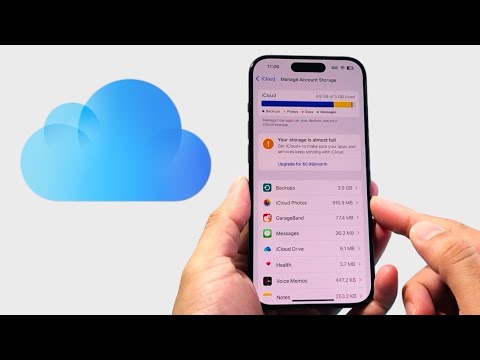
While Apple provides 5GB of storage for free, technical users often find this insufficient for full system backups. Managing your iCloud Storage involves navigating to Manage Account Storage. From here, you can audit which apps are consuming the most bandwidth and storage. For those looking to automate their digital security, upgrading to iCloud+ introduces Private Relay, which masks your IP address and DNS requests, effectively automating your network privacy.
