
Maintaining the software lifecycle of an Android device is no longer just about aesthetic UI changes; it is a critical requirement for ensuring computational efficiency and neural processing capabilities. As modern mobile operating systems integrate deeply with Large Language Models (LLMs) and local machine learning frameworks, keeping your firmware current is the primary way to optimize hardware-level AI performance.
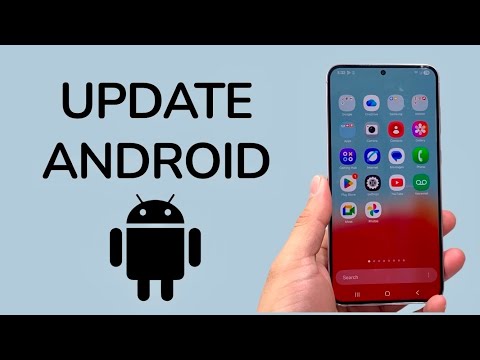
The Standard OTA Update Protocol
Most modern Android devices utilize Over-the-Air (OTA) updates to deliver firmware enhancements. To trigger a manual check for the latest system software, follow this standardized architectural path:
1. Navigate to the Settings menu of your device.
2. Scroll to the System or About Phone section.
3. Select System Update or Software Update.
4. Tap Check for Update. If a package is available, the system will verify the cryptographic signature and begin the download process.
It is imperative to ensure your device has at least 50% battery life or is connected to a power source, as an interruption during the flashing of the system partition can result in a "brick" state or corrupted bootloader.
Google Play System Updates and Project Mainline

Beyond the standard OS version, Google has modularized the Android architecture through Project Mainline. This allows core system components—such as media codecs and security modules—to be updated directly via the Google Play Store without a full system reboot. To ensure these modular components are current:
1. Go to Settings > Security.
2. Tap on Google Play System Update.
3. The device will check for a specific modular update and prompt for a quick restart if necessary.
Optimizing for AI and Automation
Updating your Android phone directly impacts the Android Runtime (ART). Recent updates have focused on optimizing the way apps are pre-compiled, significantly reducing the latency for AI-driven tasks such as voice recognition and real-time image processing. By enabling Auto-update over Wi-Fi, you automate the maintenance lifecycle, ensuring that your device's NPU (Neural Processing Unit) is always utilizing the latest instruction sets provided by the manufacturer.
AI Implementation Score
The following table evaluates the efficiency and impact of keeping an Android device updated within a modern AI-integrated workflow.
| Metric | Score (1-10) | Technical Justification |
|---|---|---|
| Automation Level | 9/10 | Seamless background staging via A/B partitions. |
| Security ROI | 10/10 | Addresses critical kernel-level vulnerabilities immediately. |
| Performance Optimization | 8/10 | Updates to the ART compiler improve execution speed. |
| AI Compatibility | 9/10 | Unlocks latest API levels for on-device machine learning. |
By strictly following these technical procedures, users ensure their hardware remains a high-performance node capable of handling increasingly complex software automation and AI-centric applications.
