
In the evolving landscape of mobile telecommunications, managing digital identity protocols is essential for both security and professional accessibility. When an iPhone displays "No Caller ID" to recipients, it indicates that the outgoing Caller Line Identification (CLID) is being suppressed by the device’s software settings or carrier-side configurations. For professionals leveraging AI-driven CRM tools or automated outreach systems, ensuring your identity is transparent is critical for bypass-rate optimization.
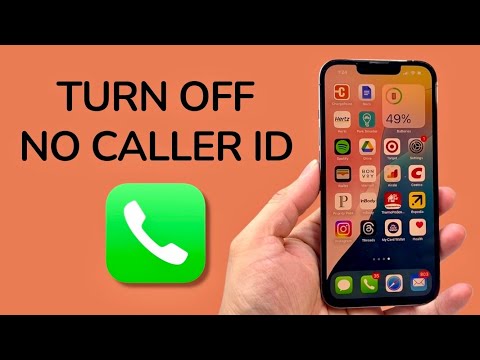
Step-by-Step: Enabling Outgoing Caller ID via iOS Software

To re-enable your caller identity and ensure your phone number is broadcasted to the receiving gateway, follow this technical workflow. This process modifies the device's signaling instructions sent to the carrier network.
1. Access System Settings: Launch the Settings application on your iOS device. This acts as the central command for all hardware and software abstractions.
2. Navigate to Phone Parameters: Scroll down and select Phone. This menu controls the telephonic interface and cellular protocols.
3. Locate Identity Settings: Tap on Show My Caller ID. Depending on your network latency, the toggle may take a moment to synchronize with your carrier’s database.
4. Toggle the Switch: Ensure the Show My Caller ID toggle is switched to the ON (green) position. This sends a persistent instruction to the network to include your CLID data packet with every outgoing call.
Addressing Carrier-Level Suppression and AI Filters

If the toggle is greyed out or does not persist after a reboot, the restriction is likely enforced at the carrier level or through a Mobile Device Management (MDM) profile. From an AI efficiency perspective, many modern call-filtering algorithms flag "No Caller ID" attempts as high-risk or spam. By enabling your ID, you improve the algorithmic trust score of your outgoing communications, ensuring higher delivery rates to automated receptionists and AI-managed voice assistants.
Furthermore, if you are experiencing "No Caller ID" on incoming calls, you may have "Silence Unknown Callers" enabled. This is an AI-driven feature that uses Siri intelligence to allow only calls from known contacts or recent outgoing numbers to ring. To disable this, navigate to Settings > Phone > Silence Unknown Callers and toggle it to Off.
AI Implementation Score
The following table evaluates the efficiency and impact of managing Caller ID settings within a modern automated ecosystem.
| Metric | Score (1-10) | Technical Context |
|---|---|---|
| Automation Ease | 9/10 | Settings are persistent once toggled via the UI. |
| Software Synergy | 8/10 | Directly impacts how CRM and AI dialers log call data. |
| Identity Security | 7/10 | Balances privacy with professional transparency. |
| Network Efficiency | 10/10 | Reduces metadata errors during SIP trunking. |
Optimizing these settings ensures that your iPhone functions seamlessly within a broader digital infrastructure, allowing software-driven communication tools to recognize and categorize your interactions accurately. Maintaining an active Caller ID is a foundational step in establishing a "verified" status in the eyes of automated security protocols.
