
The transition from the traditional Home button to the gesture-based interface of the iPhone X fundamentally changed how users interact with the device's power state. At Smart AI Fix, we view these changes not just as UI shifts, but as an evolution in software-hardware integration. Managing the power cycle of your iPhone X is essential for clearing cache, resetting the system kernel, and ensuring optimal performance for AI-driven background tasks.

Method 1: The Hardware-Software "Slide to Power Off" Sequence
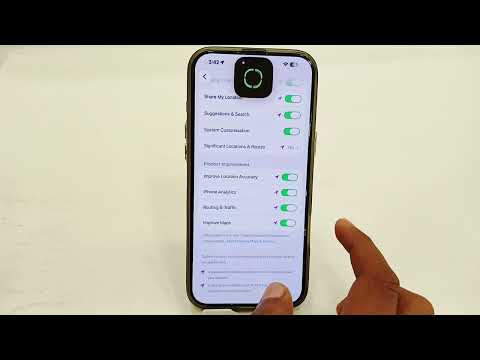
To initiate a standard shutdown using physical triggers, you must engage the iPhone X's Side Button and either of the Volume Buttons. This dual-button requirement is a deliberate software design to prevent accidental shutdowns while the device is in a pocket or bag.
1. Press and hold the Side Button (right side) and either the Volume Up or Volume Down button (left side) simultaneously.
2. Keep holding until the "slide to power off" slider appears at the top of the screen.
3. Swipe the slider to the right. The device will take approximately 30 seconds to fully terminate all active processes and shut down.
Method 2: Software-Level Shutdown via iOS Settings
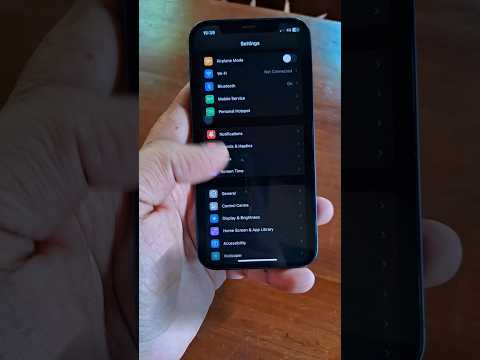
For users looking to minimize physical wear on buttons or those utilizing automation scripts, Apple integrated a software-only shutdown method within the iOS architecture. This is particularly useful if a button becomes unresponsive due to mechanical failure.
1. Navigate to Settings.
2. Tap on General.
3. Scroll to the bottom of the menu and select Shut Down.
4. Move the slider to the right to confirm the command.
Method 3: AssistiveTouch and Accessibility Automation

From an efficiency standpoint, leveraging AssistiveTouch allows for a virtualized power management system. This method is often preferred by power users who use AI-driven accessibility features to streamline device interaction.
1. Go to Settings > Accessibility > Touch > AssistiveTouch and toggle it On.
2. Tap the floating AssistiveTouch menu, select Device, and then tap and hold Lock Screen until the power slider appears.
3. This triggers the same kernel-level shutdown command as the physical button method.
Turning Your iPhone X Back On

To restart the device, simply press and hold the Side Button for a few seconds until the Apple logo appears. The iPhone X's A11 Bionic chip will then begin its boot sequence, verifying the integrity of the Secure Enclave and initializing system-level AI frameworks.
AI Implementation Score
| Category | Score | Notes |
|---|---|---|
| Software Logic | 9/10 | Sophisticated kernel termination protocols. |
| Automation Capability | 7/10 | Strong accessibility-based software triggers. |
| Efficiency | 8/10 | Rapid cold-boot times via A11 optimization. |
By mastering these methods, you ensure that your iPhone X hardware remains in peak condition, allowing the underlying software and AI algorithms to function without the interference of lingering process deadlocks.
