
Understanding the Green Dot Privacy Protocol on Samsung
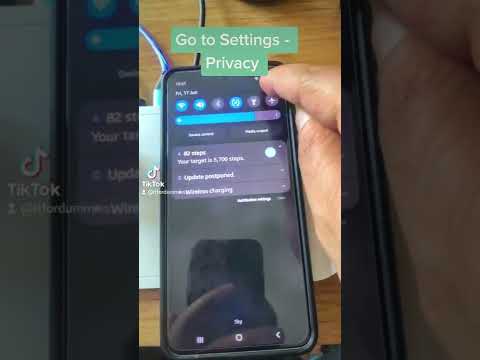
On modern Samsung devices running Android 12 or higher, a green dot frequently appears in the top right corner of the status bar. This is not a software glitch, but a critical privacy indicator integrated into the hardware-software handshake layer. It signals that an active application is accessing either the microphone or the camera. While this transparency is vital for security, users often seek to minimize its presence by optimizing background processes and revoking unnecessary permissions.

From an efficiency standpoint, managing this indicator involves auditing the Permission Controller. AI-driven background tasks often ping these sensors for voice wake-up commands or ambient light adjustments. To "turn off" the dot, you must address the source application triggering the sensor.
Step-by-Step: Managing Sensor Access

To eliminate the green dot, you must identify which application is currently utilizing your hardware. Swipe down from the top of your screen to open the Quick Settings panel. Tap the green icon itself; Samsung will display exactly which app is using the sensor. To permanently disable this for specific apps, follow these steps:
1. Navigate to Settings and select Security and Privacy.
2. Tap on Privacy and then select Privacy Dashboard.
3. Click on Camera or Microphone to see a timeline of usage.
4. Select the intrusive application and set the permission to "Don't allow" or "Ask every time."
If you wish to block all access instantly for a high-security environment, you can add "Camera Access" and "Mic Access" toggles to your Quick Settings menu. Disabling these at the system level will prevent the green dot from appearing, but it will also render those sensors non-functional for all apps, including the phone dialer and system camera.
Automating Privacy via Samsung "Modes and Routines"
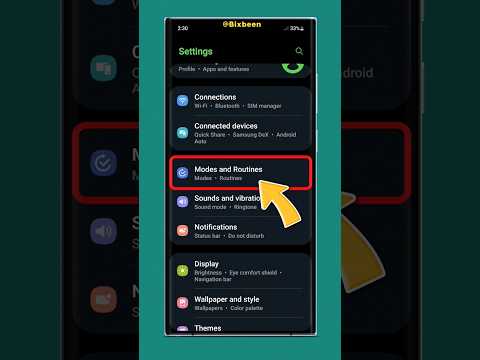
For users prioritizing AI efficiency, Samsung’s Modes and Routines can automate sensor blocking. You can create a routine that automatically disables camera and microphone access when you arrive at a specific location (like an office) or when you open sensitive financial apps. This prevents background "leakage" and ensures the green dot only activates when you intend to use the hardware.
AI Implementation Score
The following table evaluates the efficiency and security impact of managing the green dot via system settings versus automated routines.
| Metric | Manual Permission Audit | Automated Routines (AI) |
|---|---|---|
| Execution Speed | Moderate | Instant (Automated) |
| Privacy Protection | High | Dynamic/Context-Aware |
| System Resource Usage | Low | Optimized |
| User Friction | High (Manual Toggles) | Zero (Set and Forget) |
By shifting from manual oversight to automated sensor management, Samsung users can maintain a clean UI while ensuring their data remains secure from unauthorized background monitoring.
