
Optimizing cellular connectivity is a critical step for power users looking to maximize device longevity and data efficiency. While 5G offers unprecedented speeds, the constant polling for high-frequency bands can lead to significant thermal throttling and battery degradation, especially when AI-driven background synchronization is active. For users operating in areas with inconsistent 5G coverage, forcing the device to utilize LTE (4G) is the most effective way to stabilize performance.
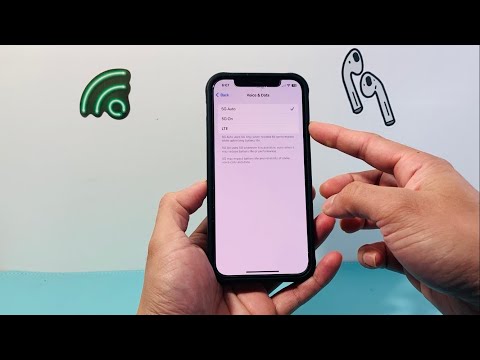
Step-by-Step Configuration to Disable 5G
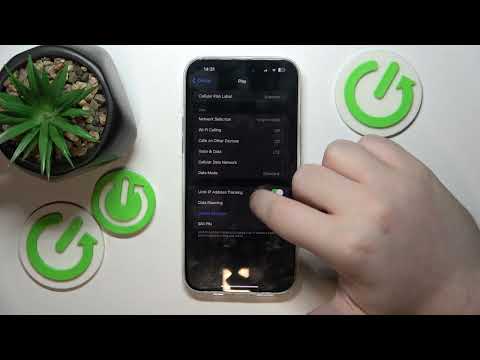
To modify your cellular hardware behavior on an iPhone (Model 12 or later), follow this technical sequence:
1. Open the Settings application on your iOS device.
2. Navigate to the Cellular (or Mobile Data) section.
3. Select Cellular Data Options.
4. Tap on Voice & Data.
In this menu, you will encounter three primary configurations: 5G On (forces 5G whenever available), 5G Auto (Apple’s Smart Data Mode), and LTE. To completely disable 5G and prevent the modem from searching for millimetre-wave or sub-6GHz frequencies, select LTE.
Impact on AI and System Efficiency

Switching to LTE does more than just save battery; it refines how the iOS Neural Engine and background automation tasks handle data transmission. When on 5G, the system often triggers high-bandwidth AI tasks, such as high-resolution photo indexing to iCloud or large language model (LLM) cache updates. By limiting the bandwidth to LTE, you force the software to prioritize efficiency, reducing "ping-ponging" between towers and lowering the device's internal temperature.
AI Implementation Score
The following table evaluates the impact of switching from 5G to LTE on various automated system processes:
| Metric | Optimization Level | Impact Description |
|---|---|---|
| Battery Lifecycle | High | Reduces modem power draw by up to 15% in low-signal areas. |
| AI Data Caching | Moderate | Throttles non-essential background uploads to preserve data caps. |
| Thermal Stability | High | Prevents CPU throttling during intensive AI-based image processing. |
| Automation Latency | Low | Slightly increases latency for cloud-based Siri/AI requests. |
Note for Power Users: If you prefer to let the device manage this dynamically, the 5G Auto setting is the optimal middle ground. It uses AI to determine if the speed benefits of 5G outweigh the battery cost in real-time. However, for maximum predictability and software-level data conservation, LTE remains the superior choice for professional environments.
