
Determining whether your cellular identity has been restricted on the iOS ecosystem requires an understanding of how Apple handles network-level handshakes and localized software filters. Because Apple prioritizes user privacy, the operating system never sends a formal notification to a blocked party. However, by analyzing the telemetry of iMessage delivery receipts and call routing behavior, we can derive a high-probability conclusion regarding your status.

1. The iMessage Delivery Receipt Analysis
The most immediate indicator of a potential block is found within the iMessage protocol. When you send a message to another iPhone user, the Apple servers typically return a "Delivered" status once the packet reaches the recipient's device. If you are blocked, the message will technically be sent from your device, but it will never receive a delivery confirmation. Unlike a "Do Not Disturb" (DND) scenario where the notification is simply silenced, a block prevents the receipt from ever appearing. If your messages consistently lack the "Delivered" subtext for a duration exceeding 24 hours, the probability of a software-level block is significant.
2. Telephony Routing and the "One Ring" Pattern
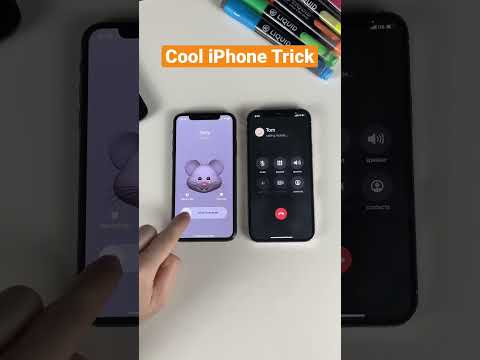
In the architecture of cellular handoffs, a call to a non-blocking contact typically rings multiple times before hitting the carrier’s voicemail server. When a block is active on an iPhone, the iOS Call Management system intercepts the incoming signal almost instantly. This usually results in exactly one ring (or a partial ring) followed by a prompt to leave a voicemail. While a single ring can also indicate a "Do Not Disturb" setting or a manual rejection, a consistent pattern over several days suggests that your Unique Device Identifier (UDID) or phone number has been flagged in the recipient's "Blocked Contacts" database.
3. Automated Troubleshooting: Caller ID Masking

To verify if the call routing issue is due to network congestion or a specific block, users can utilize Caller ID manipulation. By navigating to Settings > Phone > Show My Caller ID and toggling it off (or using the *67 prefix in North America), you can bypass the recipient’s localized block list. If the call rings normally when the ID is hidden, it confirms that the block is specific to your number rather than a hardware failure or a "Do Not Disturb" state on the recipient's end.
AI Implementation Score
Below is a breakdown of how automated logic and AI-driven filters impact the accuracy of these detection methods.
| Methodology | Efficiency Score (1-10) | AI/Software Logic |
|---|---|---|
| iMessage Status | 9/10 | Reliant on Apple’s server-side delivery confirmation logic. |
| Call Pattern Analysis | 7/10 | Affected by network latency and carrier-side handoff rules. |
| Caller ID Masking | 8/10 | Bypasses local software filters to test hardware availability. |
| SMS Fallback | 4/10 | Low reliability; green bubbles don't distinguish between blocks and signal loss. |
4. The Role of 'Do Not Disturb' vs. Blocking

It is crucial to differentiate between a Focus Mode (DND) and a hard block. With the introduction of iOS 15 and 16, users can share their "Focus Status." If you see a notification stating that the user has "notifications silenced," you are not blocked. If there is no status, and your calls go to voicemail after one ring, the system is likely filtering your specific contact information. Automation tools and AI-driven assistants on the iPhone now allow users to auto-filter "Unknown Callers," which may mimic a block if you are not in the recipient's contact list.
