
Step 1: Enabling Messages in iCloud

The foundation of cross-device synchronization lies in Messages in iCloud. This feature does not simply copy messages; it maintains a live database. When you delete a message on your iPhone, the action is mirrored on your iPad via an automated background sync.

To enable this, navigate to Settings on both devices. Tap your Apple ID profile at the top, select iCloud, and then tap Show All under the "Apps Using iCloud" section. Locate Messages and ensure the toggle is set to On. Repeat this exact process on your iPad to initiate the initial database handshake.
Step 2: Configuring Send & Receive Addresses
For synchronization to be successful, both devices must be reachable via the same identifiers. On your iPhone, go to Settings > Messages > Send & Receive. Ensure that your phone number and your primary Apple ID email address are checked. On your iPad, navigate to the same menu and verify that the identical addresses are selected. This alignment ensures that the Apple routing server treats both devices as a single unified endpoint.
Step 3: Activating Text Message Forwarding (SMS/MMS)
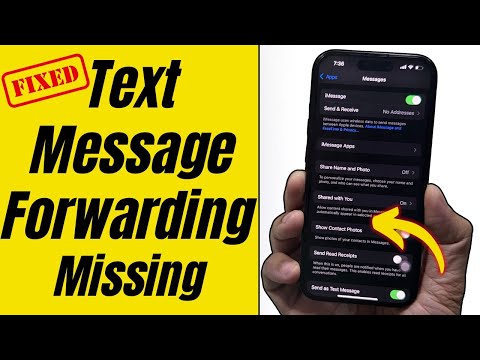
While iMessage handles blue-bubble data, SMS and MMS (green bubbles) require the iPhone to act as a cellular gateway. This is critical for users who receive automated 2FA codes or communicate with non-iOS users. On your iPhone, go to Settings > Messages > Text Message Forwarding. You will see a list of your devices; toggle the switch for your iPad to the "On" position. This allows the iPad to "borrow" the iPhone’s cellular radio for traditional messaging.
AI Implementation Score
In the context of Smart AI Fix, we evaluate how well these software solutions automate manual tasks and utilize machine learning for user efficiency.
| Metric | Score (1-10) | Automation Level |
|---|---|---|
| Data Redundancy | 9.5 | Fully Automated via iCloud |
| Cross-Device Intelligence | 8.0 | High (Predictive Text/Search) |
| Setup Complexity | 9.0 | Low (Minimal User Input) |
| Security Integration | 10.0 | E2E Encrypted |
By following this configuration, your iPad becomes a functional extension of your iPhone’s communication hub. This integration utilizes Apple’s on-device neural engine to categorize messages and power features like Smart Reply consistently across your ecosystem, significantly reducing the cognitive load of switching between devices.
