
Sharing location on an iPhone has evolved from a simple GPS ping into a sophisticated data exchange managed by iOS’s proactive intelligence. Whether you are optimizing your logistics or ensuring personal safety, the Apple ecosystem leverages machine learning to streamline how geographic coordinates are transmitted across various platforms.
Native Integration: The 'Find My' Ecosystem
The most efficient way to share your location within the Apple ecosystem is through the Find My app. This method utilizes End-to-End Encryption (E2EE) and minimizes battery drain by using the Apple Silicon "Neural Engine" to manage background refresh cycles. To initiate this, open the Find My app, select the "People" tab, and tap "Start Sharing Location." You can choose between "One Hour," "Until End of Day," or "Indefinitely." The system’s AI-driven proactive suggestions will often prompt you to stop sharing once you’ve reached a known destination, such as home or work.
Automated Sharing via iMessage
For immediate, context-aware sharing, the Messages app provides a seamless interface. By tapping the contact’s name at the top of a thread and selecting "Share My Current Location," you send a static snapshot. However, for real-time movement, selecting "Share My Live Location" allows the recipient to track your progress with high-frequency updates. This is particularly useful for automated ETA calculations, as Siri can use this data to provide "Time to Leave" alerts for both parties.
Cross-Platform Efficiency with Google Maps
When sharing with non-iOS users, the Google Maps integration is the superior choice for software interoperability. By tapping your profile icon and selecting "Location Sharing," you generate a unique URL. Google’s cloud-based AI processes this data to provide the recipient with real-time traffic delays and battery status of the sender, offering a more comprehensive data set than standard SMS sharing.
Automation via iOS Shortcuts

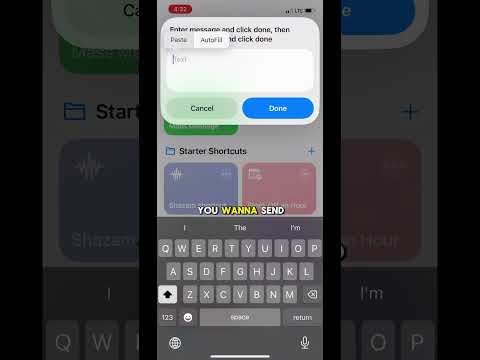
To maximize efficiency, advanced users should utilize the Shortcuts app. You can create an automation that triggers "Send My Location" via a voice command or when your iPhone connects to CarPlay. This eliminates manual input and ensures that your location data is only broadcasted under specific, user-defined conditions, significantly enhancing both security and productivity.
AI Implementation Score
| Metric | Score (1-10) | Notes |
|---|---|---|
| Automation Potential | 9/10 | Excellent via iOS Shortcuts and Siri. |
| Data Accuracy | 10/10 | Uses multi-constellation GNSS. |
| Battery Optimization | 8/10 | AI manages background refresh effectively. |
| Security (E2EE) | 10/10 | Industry-leading encryption standards. |
For those looking to upgrade their hardware to better handle high-frequency location tracking and AI tasks, you can find significant discounts on cheap iPhones on Amazon, where older Pro models still offer exceptional Neural Engine performance for these specific tasks.
