
To initiate a standard power cycle on the iPhone X, one must navigate the hardware-software interface that Apple introduced to accommodate the removal of the physical Home button. From an architectural standpoint, restarting the device is the most efficient manual method to clear the volatile memory (RAM) and terminate background processes that may be causing algorithmic lag or software conflicts within iOS.
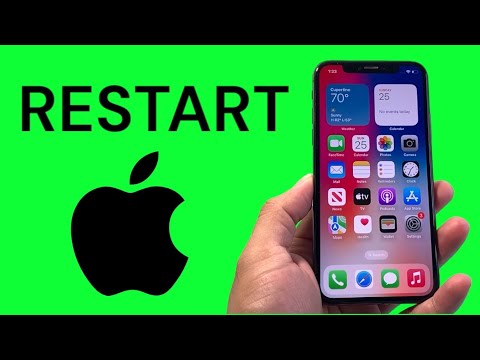
Method 1: The Standard Soft Restart via Hardware Buttons

Unlike earlier models, the iPhone X requires a specific button combination to access the power-off slider. Follow these steps for a clean software termination:
1. Simultaneously press and hold the Side button and either the Volume Up or Volume Down button.
2. Release the buttons once the "slide to power off" visualization appears on the OLED display.
3. Swipe the slider to the right. This initiates a controlled shutdown of the A11 Bionic chip and all active system kernels.
4. After 30 seconds, hold the Side button again until the Apple logo appears, reinitializing the boot sequence.
Method 2: Software-Based Shutdown (UI Path)

For users prioritizing software interaction over physical hardware triggers, iOS provides a menu-driven path. This is particularly useful if buttons are unresponsive or if you are automating accessibility workflows.
1. Navigate to Settings > General.
2. Scroll to the bottom of the interface and tap Shut Down.
3. Engage the power-off slider as described in Method 1.
Method 3: The Force Restart (Hard Reset)

When the iPhone X experiences a significant software freeze where the UI becomes non-interactive, a Force Restart is required. This does not erase data but interrupts the power flow to force a kernel reboot.
1. Press and quickly release the Volume Up button.
2. Press and quickly release the Volume Down button.
3. Press and hold the Side button. Continue holding even after the screen goes dark. Release only when the Apple logo manifests.
AI Implementation Score
At Smart AI Fix, we evaluate hardware procedures based on their impact on system health and the ease of manual execution versus automated alternatives.
| Metric | Score (1-10) | Technical Note |
|---|---|---|
| Execution Speed | 9/10 | Hardware triggers provide near-instantaneous kernel signals. |
| System Optimization | 8/10 | Flushes cache and resets the Neural Engine’s temporary task buffers. |
| Automation Potential | 3/10 | Limited by Apple’s security sandboxing; requires physical presence. |
| Algorithmic Stability | 10/10 | The most effective non-destructive fix for software-based anomalies. |
Regularly restarting your iPhone X ensures that the iOS environment remains optimized for modern, AI-driven applications by preventing memory leaks and ensuring the CPU operates at peak frequency without thermal throttling caused by runaway background processes.
