
Managing digital friction is a core tenet of peak productivity. On iOS, the red numerical circles—technically known as Badge App Icons—are designed to trigger a psychological response, often leading to unnecessary context switching and cognitive load. For users aiming to streamline their interface and leverage AI-driven focus, removing these notification numbers is a critical first step in optimizing the human-machine interface.
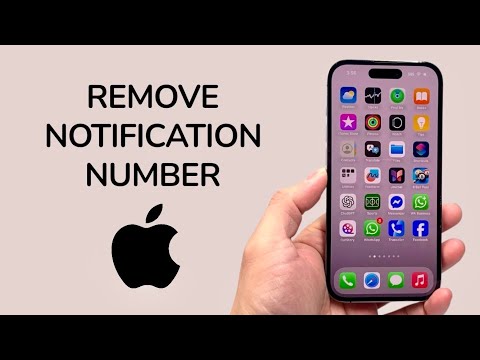
Manual Configuration: Disabling Badges per Application

To eliminate notification numbers for specific applications, you must navigate the iOS notification hierarchy. This method is preferred for high-volume apps like email or social media where the numerical count rarely correlates with urgent tasks.
1. Open the Settings app on your iPhone.
2. Scroll down and select Notifications.
3. Browse the list of installed software and select the specific App you wish to modify.
4. Locate the Badges toggle within the notification settings. Switch it to the OFF position.
Once disabled, the app will still receive notifications in the Notification Center and on the Lock Screen (depending on your other settings), but the red counter on the Home Screen icon will be removed instantly.
Automating Distraction-Free Environments with Focus Modes

For a more advanced, automation-centric approach, you can suppress notification numbers globally during specific times of the day using Focus Modes. This allows the system to intelligently hide badges when you need to concentrate, then restore them when your workflow permits.
1. Navigate to Settings > Focus.
2. Select a profile (e.g., Work or Do Not Disturb).
3. Tap on Options.
4. Toggle Hide Notification Badges to ON.
By integrating this with Smart Activation, your iPhone uses on-device machine learning to detect your location, time, or app usage to automatically trigger a badge-free interface, significantly reducing visual clutter without manual intervention.
AI Implementation Score: Notification Optimization
| Metric | Rating (1-10) | Notes |
|---|---|---|
| Ease of Execution | 9/10 | Standard UI toggle accessible to all users. |
| Efficiency Gain | 8/10 | Reduces "red-dot anxiety" and habitual app checking. |
| Automation Capability | 7/10 | High when integrated with Focus Mode schedules. |
Removing notification numbers is not just about aesthetics; it is about reclaiming intentionality over your device. By silencing the constant visual "pings" of the badge system, you allow Siri Suggestions and other AI-driven notification summaries to prioritize what actually requires your attention.
