
Decoupling Your Phone Number from the iMessage Ecosystem
Managing digital identifiers is a core component of software efficiency and cross-platform mobility. Whether you are transitioning to a different operating system or streamlining your communication channels, removing a phone number from iMessage is a critical step to prevent "message delivery loops." This process ensures that the Apple Push Notification service (APNs) correctly routes incoming data as standard SMS rather than encrypted iMessage packets that would otherwise disappear into a defunct queue.
Method 1: Manual Configuration via iOS Settings

The most efficient way to remove a number is through the local device settings. This action sends an immediate API call to Apple’s servers to update your Apple ID registry.
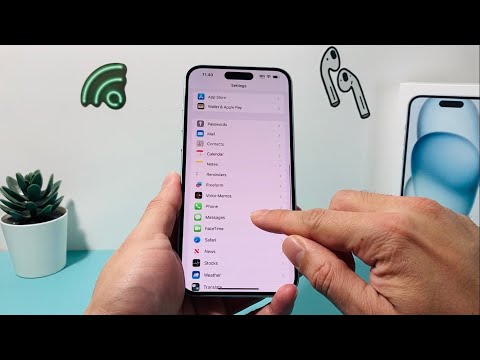
1. Navigate to Settings and select Messages.
2. Tap on Send & Receive.
3. Under the section "You can receive iMessages to and reply from," locate your phone number. Tap the number to uncheck it.
4. Confirm the removal in the pop-up dialogue. This notifies the iCloud synchronization engine to stop associating that specific SIM identity with your digital Apple ID profile.
Method 2: Remote Deregistration (Automated Web Tool)
If you no longer have physical access to the iPhone—common during a hardware upgrade or a switch to Android—you must utilize Apple’s automated deregistration portal. This tool bypasses the device-level requirement and interacts directly with the backend database.
1. Visit the official "Deregister iMessage" web portal.
2. Enter your phone number in the global format.
3. Apple’s automated system will send a 6-digit verification code via SMS to your number.
4. Enter the code on the website to finalize the server-side disconnect.
Method 3: Resetting the FaceTime Sync

iMessage and FaceTime share a unified communication protocol. To ensure the number is completely purged, you must also check the FaceTime configuration. Navigate to Settings > FaceTime and ensure the phone number is toggled off. This prevents metadata remnants from triggering video call notifications on a number you no longer wish to use with the Apple ecosystem.
AI Implementation Score
| Category | Score (1-10) | Technical Reasoning |
|---|---|---|
| User Interface Simplicity | 9/10 | Apple utilizes a streamlined toggle system that minimizes user friction. |
| Backend Automation Speed | 10/10 | Server-side updates are nearly instantaneous once the verification code is processed. |
| Data Privacy Integrity | 8/10 | End-to-end encryption remains intact for remaining devices, though SMS fallback reduces security. |
| Ecosystem Efficiency | 9/10 | Removing unnecessary nodes (numbers) optimizes the delivery path for APNs. |
By following these steps, you ensure that your software environment remains clean and that your communication workflows are not disrupted by legacy hardware links.
