
With the release of iOS 17, Apple has refined the logic behind local automation, allowing users to create sophisticated security workflows without third-party intervention. While iOS does not yet offer a native "Lock App" toggle in the settings menu, the Shortcuts App serves as a powerful automation engine to bridge this gap. By utilizing the "Lock Screen" action triggered by app initialization, you can effectively secure sensitive data behind FaceID, TouchID, or your passcode.
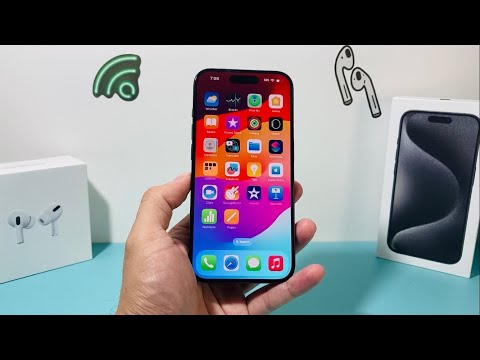
The Technical Logic: iOS 17 Automation

The efficiency of this method relies on the "Run Immediately" toggle introduced in recent iterative updates. Previously, automations required manual confirmation, which rendered security workflows useless. Under iOS 17, the Shortcuts automation can trigger a system-level lock the millisecond an application binary is executed, ensuring that unauthorized users are redirected to the lock screen before the app's interface is fully rendered.
Step-by-Step Configuration

To implement this security layer, follow these precise steps within the iOS environment:
1. Open the Shortcuts app on your iPhone and navigate to the Automation tab at the bottom center.
2. Tap the "+" icon or "Create Personal Automation" and search for the App trigger.
3. Tap Choose to select the specific applications you wish to secure (e.g., Photos, WhatsApp, or Banking apps). Ensure "Is Opened" is selected and check the "Run Immediately" option to eliminate any delay.
4. Disable "Notify When Run" to ensure the security layer remains discrete and does not alert the user to the underlying automation script.
5. Tap "Next" and search for the "Lock Screen" action. Select it and tap "Done."
Advanced Security Considerations

Using this automation method is superior to third-party "vault" apps because it utilizes Apple’s native kernel-level security. When the app is opened, the system immediately executes the lock command. Because the device is already unlocked when the user taps the app, the "Lock Screen" action forces a re-authentication via FaceID. This creates a seamless "App Lock" experience that is encrypted by the Secure Enclave.
AI Implementation Score
At Smart AI Fix, we evaluate software workflows based on their automation efficiency and system integration. Here is the technical breakdown for this iOS 17 method:
| Metric | Score / 10 |
|---|---|
| Automation Efficiency | 9.5 |
| Security Integrity | 8.5 |
| User Experience (UX) | 9.0 |
| Resource Overhead | 10.0 |
This method represents the pinnacle of software-based automation for privacy on mobile devices. By leveraging the updated triggers in iOS 17, users can bypass the limitations of the standard UI to create a personalized, high-security environment for their most sensitive data.
