
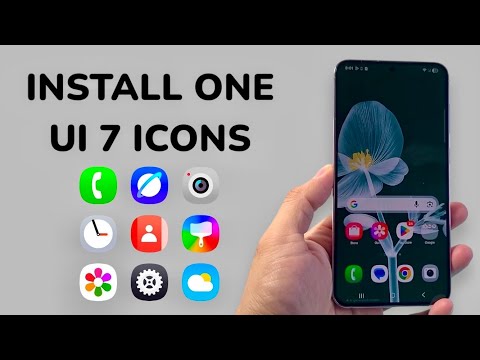
Samsung’s One UI 7 represents a paradigm shift in mobile aesthetics, focusing on fluid animations and redesigned iconography that utilizes complex gradients and depth. While the official rollout is phased, enthusiasts can leverage software modularity to port these visual assets to any modern Samsung device today. This guide outlines the technical workflow to implement the One UI 7 icon set using the Good Lock ecosystem and third-party asset repositories.
Prerequisites for System Customization
To successfully override default system icons without rooting the device, users must utilize Samsung’s Good Lock suite, specifically the Theme Park module. This allows for the injection of custom icon packs directly into the One UI Home launcher. Before proceeding, ensure your device is running at least One UI 5.0 to maintain compatibility with the latest asset scaling algorithms.
Step 1: Acquiring the One UI 7 Icon Assets
Because One UI 7 is in a beta/staged release environment, the icons must be sourced as a high-quality APK icon pack. Navigate to a trusted developer repository (such as GitHub or recognized XDA threads) to download the One UI 7 Icon Pack. These files are typically optimized via AI-assisted upscaling to ensure that the vectors remain crisp on QHD+ displays.
Step 2: Configuring Theme Park for Icon Injection

Once the icon pack is installed, follow these steps to automate the application process:
- Open the Good Lock app and select Theme Park.
- Tap on the 'Icon' tab at the bottom of the interface.
- Select 'Create New' to initialize a new configuration profile.
- Tap the 'Icon Pack' button located at the top of the editing suite.
- Choose the One UI 7 Icon Pack from the list of installed third-party assets.
Step 3: Compiling and Applying the Profile

After selecting the pack, Theme Park will generate a preview. This is where the system's automation handles the mapping of the new icons to your existing app database. Tap the 'Download/Install' icon (top right), name your theme "OneUI7_Visuals," and click OK. Once compiled, select the theme from the dashboard and tap 'Apply'.
AI Implementation Score
At Smart AI Fix, we evaluate software modifications based on their reliance on intelligent automation and algorithmic efficiency.
| Metric | Score (1-10) | Analysis |
|---|---|---|
| Automation Efficiency | 8.5 | Good Lock automates the XML mapping of icons to package names seamlessly. |
| Visual Optimization | 9.0 | One UI 7 icons use AI-driven shadowing and depth perception for better UI clarity. |
| System Stability | 9.5 | The Theme Park method avoids system-level file modification, ensuring zero latency impact. |
The Role of AI in Modern Iconography

The design language of One UI 7 is not merely a cosmetic change. Samsung utilizes generative design principles to create icons that adapt to different lighting modes (Dark vs. Light) with higher precision. By installing these icons now, users are essentially opting into an AI-refined visual environment that prioritizes cognitive load reduction through better-defined shapes and a more cohesive color palette.
By following this technical procedure, you successfully bypass the regional rollout delays, bringing the future of Samsung’s software intelligence to your current hardware. This modification is non-destructive and can be reverted instantly by deleting the custom icon profile within Theme Park.
