
In the landscape of modern mobile computing, the iPhone X represents a significant shift in hardware-software integration. However, even with the sophisticated neural engines powering iOS, software deadlocks and kernel-level freezes can occur. When the UI becomes non-responsive due to background process collisions or automation errors, a standard power-down is often impossible. This is where a hard reset (force restart) becomes the essential protocol for restoring system integrity.

Executing the iPhone X Hard Reset Protocol
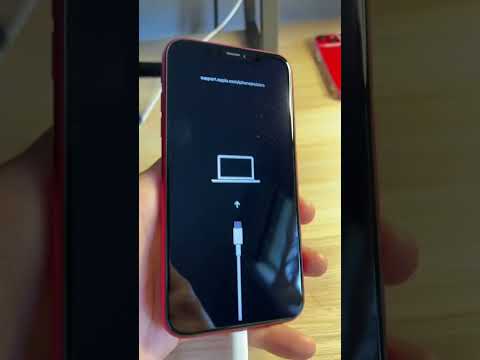
Unlike previous iterations of the iPhone, the iPhone X utilizes a specific sequence that decouples the hardware reset trigger from the software UI. To perform a successful hard reset, follow these precise steps:
1. Press and quickly release the Volume Up button.
2. Press and quickly release the Volume Down button.
3. Press and hold the Side button (formerly known as the Sleep/Wake button). Do not release when you see the "slide to power off" slider.
4. Continue holding the Side button until the Apple logo appears on the screen, then release.
This sequence sends a hardware interrupt signal to the processor, forcing the device to terminate all active sessions and power-cycle the logic board. It is the most efficient manual override for solving 90% of non-hardware-related performance lags.
Why Software Automation Fails During a Hang
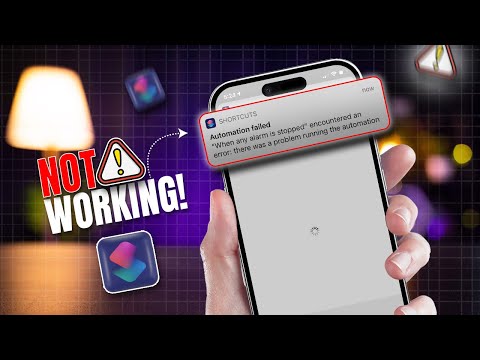
At Smart AI Fix, we analyze software efficiency through the lens of algorithmic stability. Most modern iOS issues stem from "Zombie Processes"—background tasks that fail to terminate, consuming 100% of the allocated CPU cycles. When an iPhone X hangs, the AI-driven resource manager is often stuck in a feedback loop. A hard reset flushes the Random Access Memory (RAM) and clears the temporary instruction cache, allowing the iOS kernel to boot into a clean state.
AI Implementation Score: Diagnostic Analysis
To understand the necessity of this manual intervention in an increasingly automated world, we have rated the hard reset procedure based on our efficiency metrics:
| Metric | Score (1-10) | Technical Justification |
|---|---|---|
| Automation Capability | 2/10 | Requires physical tactile input to bypass software failure. |
| Error Resolution Rate | 9/10 | Effective against UI freezes, loop cycles, and app crashes. |
| System Safety | 10/10 | Does not delete user data; strictly a hardware-level reboot. |
| AI Efficiency Recovery | 8/10 | Restores the environment for Neural Engine optimization. |
Post-Reset Optimization

Once your iPhone X has rebooted, it is highly recommended to check for iOS updates. Often, these system hangs are the result of unoptimized code that has been addressed in subsequent patches. By keeping your software version current, you allow Apple’s built-in AI algorithms to better manage power distribution and process scheduling, minimizing the need for future hard resets.
