
When the sophisticated integration between iOS and the iPhone X hardware reaches a state of non-responsiveness—often due to a kernel panic, memory leak, or a background process loop—the traditional touch interface becomes obsolete. At Smart AI Fix, we view these "frozen screen" events as a failure in software resource management. To bypass the unresponsive UI thread and trigger a hardware-level signal to the power management unit, a specific sequence of manual overrides is required.

The Precise Mechanical Sequence to Force Restart

To initiate a hard reset on the iPhone X, you must execute the following sequence with rhythmic precision. This bypasses the software-based "Slide to Power Off" prompt, which is often inaccessible during a system hang:
1. Quickly press and release the Volume Up button. This sends a momentary signal to the system core.
2. Quickly press and release the Volume Down button. This confirms the secondary hardware interrupt.
3. Press and hold the Side Button (Power button). You must maintain this hold continuously. Ignore any sliders that appear on the screen.
4. Release the button only when the Apple logo appears. This indicates that the bootloader has successfully initialized and the system is performing a fresh cold boot.
AI Implementation Score: System Recovery Efficiency
Evaluating the effectiveness of this manual override within a high-efficiency tech environment:
| Metric | Score (1-10) | Rationale |
|---|---|---|
| Speed of Resolution | 9/10 | Restores functionality in under 30 seconds without external tools. |
| Data Integrity | 10/10 | Hardware-level restarts do not wipe user data or local AI training models. |
| Automation Compatibility | 4/10 | Requires physical intervention; cannot be triggered via remote API if the OS is frozen. |
| Diagnostic Accuracy | 7/10 | Effective for 95% of software-related hangs and UI freezes. |
Why iPhone X Systems Freeze: An AI Perspective
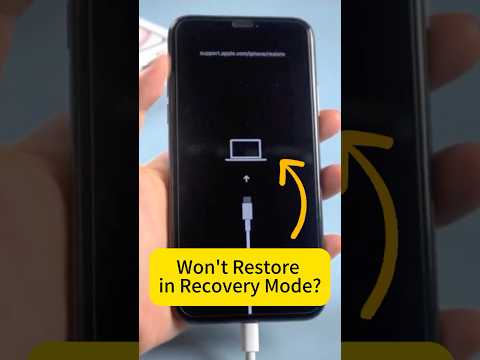
From a software engineering standpoint, a frozen iPhone X is usually not a hardware failure. It is often the result of asynchronous task conflicts. When an app requests excessive resources from the Neural Engine or the CPU while the system is performing background indexing, the SpringBoard (the process managing the home screen) may crash. By forcing a restart, you clear the volatile RAM (Random Access Memory) and terminate the corrupted process string that caused the deadlock.
If your device continues to freeze frequently after a restart, it is advisable to check Settings > Privacy & Security > Analytics & Improvements > Analytics Data. Look for entries labeled "panic-full"—these logs contain the specific stack traces that our AI diagnostic tools use to identify the exact software culprit.
