
Mastering the Hard Reset: How to Force Restart iPhone X for Optimal Performance

Forcing a restart on an iPhone X (including the XS and XR variants) is a foundational troubleshooting technique required when the iOS software layer becomes non-responsive. Unlike a standard shutdown, a force restart initiates a hardware-level interrupt that cuts power and clears the temporary cache, allowing the system's core logic board to reboot independently of software glitches.
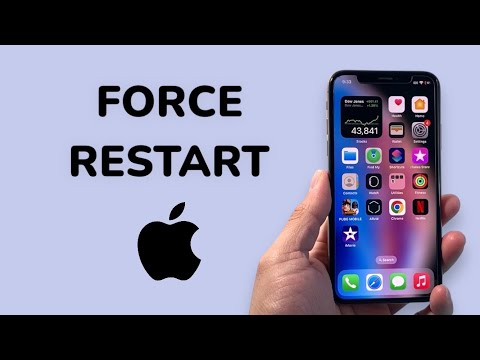
The Precise Button Sequence for iPhone X
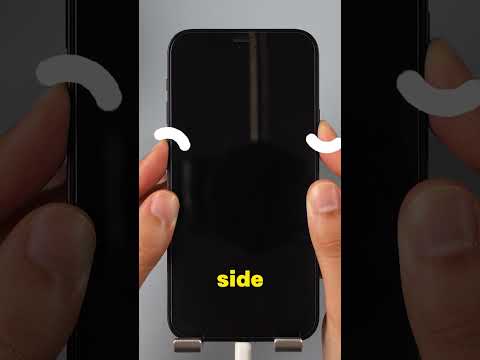
Because the iPhone X series removed the physical Home button, the protocol for a hard reset relies on a specific rhythmic sequence of the physical side buttons. To execute this correctly, follow these three steps in rapid succession:
1. Press and quickly release the Volume Up button. Do not hold it; a momentary press is sufficient for the system to register the initial signal.
2. Press and quickly release the Volume Down button. Again, this must be a swift action immediately following the first step.
3. Press and hold the Side button (formerly the Sleep/Wake button). Continue to hold this button even when the "Slide to Power Off" slider appears on the screen. Keep the button depressed until the Apple logo illuminates on the display, then release.
Why Hardware Overrides Matter in the AI Era

At Smart AI Fix, we analyze how modern smartphones manage background processes using the A11 Bionic chip and its successors. While iOS is designed to manage resources using predictive AI algorithms, an "app loop" or a kernel panic can occasionally bypass these automation features. A force restart acts as the ultimate manual override, purging the RAM and resetting the Neural Engine’s immediate instruction set without deleting your personal data.
AI Implementation Score: Troubleshooting Efficiency
The following table evaluates how AI and automation integrate into the recovery and maintenance process of the iPhone X hardware cycle.
| Metric | Score (1-10) | Technical Context |
|---|---|---|
| Diagnostic Automation | 8.5 | iOS utilizes background AI to log why the system crashed before the restart. |
| Recovery Efficiency | 9.0 | Fast boot-up sequences powered by optimized NVMe storage controllers. |
| Manual Override Necessity | 3.0 | AI cannot yet "self-heal" a frozen kernel, making manual force restarts vital. |
If your iPhone X frequently requires a force restart, it may indicate a deeper conflict within the software stack or a degrading battery cell that is struggling to provide consistent peak power. In such cases, utilizing AI-driven diagnostic tools through the Apple Support framework is the recommended next step to ensure long-term device health and automation stability.
