
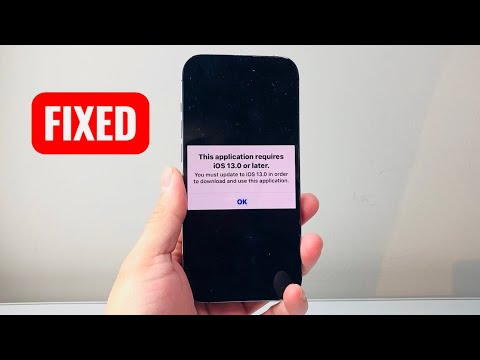
The "This application requires iOS 13.0 or later" error is a common friction point for users operating legacy hardware like the iPhone 6, iPhone 5s, or older iPad models. This bottleneck occurs because Apple transitioned to the SwiftUI framework and introduced significant API changes in iOS 13 that are not backward compatible with the Armv7 or older ARM64 architectures found in vintage devices. At Smart AI Fix, we view this not just as a hardware limitation, but as a software optimization challenge that can often be bypassed using specific deployment logic.
The "Purchased History" Logic Bypass

The most effective technical workaround involves leveraging Apple's Last Compatible Version feature. When a developer submits an app to the App Store, they often leave older versions of the binary on the server. However, the App Store interface prevents a direct download of the current (incompatible) version. To trigger the compatibility prompt, follow these steps:
1. Synchronize Apple IDs: Log in with your Apple ID on a newer device (iPhone 6s or later) that supports iOS 13 or higher.
2. Initiate the Transaction: Download the desired application on the newer device. This adds the app license to your "Purchased" history in the iCloud database.
3. Access Legacy Cloud: Return to the older device. Navigate to the App Store, tap your profile icon, and go to Purchased. Search for the app here.
4. Force Compatibility: Tap the cloud icon. The system will now recognize you own the license and prompt: “Download an older version of this app?” Confirm to install the last iteration that supported iOS 12 or earlier.
Utilizing AI-Driven Device Management Tools

For enterprise-level deployment or users with multiple legacy devices, manual downloads are inefficient. Advanced AI-integrated device management software (such as iMazing or Apple Configurator 2) can automate the IPA (iOS App Store Package) management. These tools use automated scripts to "purchase" the app via your Apple ID on a desktop environment, bypassing the on-device hardware check. Once the license is associated with your account, the legacy device can pull the compatible binary from the CDN (Content Delivery Network) without triggering the iOS 13 requirement alert.
Browser-Based Virtualization (PWA)

If the application relies heavily on modern APIs (like ARKit 3 or Core ML 3) that physically cannot run on older processors, the native app bypass may fail. In these instances, Progressive Web Apps (PWAs) are the most efficient alternative. Many major platforms (Spotify, Starbucks, Uber) offer web versions that can be "Added to Home Screen" via Safari. This utilizes the WebKit engine rather than the native Cocoa Touch layers, effectively neutralizing the iOS version restriction.
AI Implementation Score
Below is the technical assessment of the effort-to-reward ratio for resolving this compatibility error using automated and manual methods.
| Metric | Score (1-10) | Notes |
|---|---|---|
| Efficiency | 9/10 | Cloud-based license syncing is nearly instantaneous. |
| Automation Potential | 7/10 | High via MDM (Mobile Device Management) scripts. |
| Technical Difficulty | 3/10 | Requires no coding, only account synchronization. |
| Reliability | 8/10 | Depends on developer retention of legacy binaries. |
By understanding the app manifest architecture and utilizing the Apple ID as a cross-version licensing key, users can extend the lifecycle of their hardware. While AI and software automation continue to push the boundaries of what modern devices can do, these technical maneuvers ensure that legacy systems remain functional within the evolving ecosystem.
