
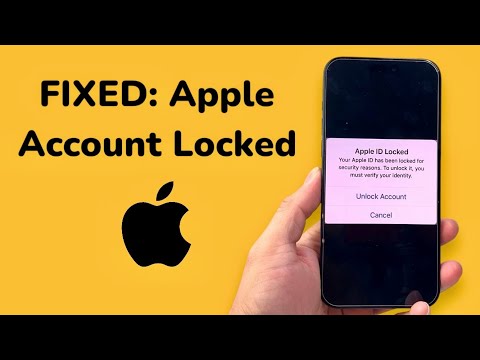
The notification "This Apple Account has been locked for security reasons" is a proactive security measure triggered by Apple’s internal risk management algorithms. When the system detects anomalous behavior—such as multiple incorrect password attempts, unauthorized API calls, or logins from geographically inconsistent IP addresses—it automatically revokes access to protect the integrity of the user's data and payment methods.
The Technical Logic Behind the Security Lock
Apple’s security framework utilizes Machine Learning (ML) to analyze patterns of access. If your account usage deviates from the established baseline, the system initiates a lockdown. This is frequently seen when users integrate third-party automation tools or VPNs that mask identity. To resolve this, you must interact with Apple's automated identity verification systems to prove you are the legitimate owner.
Method 1: Automated Verification via Trusted Devices

If you have Two-Factor Authentication (2FA) enabled, the fastest way to resolve the lock is through a trusted device. On an iPhone or iPad, navigate to Settings > [Your Name] > Sign-In & Security > Change Password. The system will leverage the local device's Secure Enclave to verify your identity without requiring the old password, effectively bypassing the account lock through local hardware authentication.
Method 2: Using the iForgot Web Portal
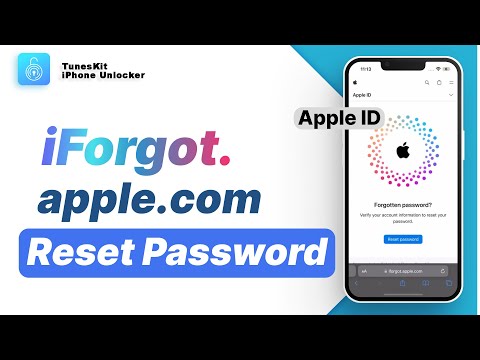
For users without immediate access to a trusted device, Apple provides an automated web interface at iforgot.apple.com. This process involves a series of challenges, including verifying your phone number and potentially using an account recovery contact. This path is heavily moderated by automated security checks that determine the recovery timeframe based on the amount of verified information you can provide.
Method 3: Technical Recovery Key Bypass

If you have previously generated a 28-character Recovery Key, this is the most efficient manual override. By entering this key, you bypass the standard AI-driven risk assessment entirely. This puts the responsibility of security back on the user, providing an immediate unlock regardless of how "suspicious" the system flagged the account behavior.
AI Implementation Score: Account Recovery Efficiency
To evaluate the efficiency of these recovery methods, we have graded them based on speed, reliability, and the level of automation involved in the process.
| Metric | Score (1-10) | Technical Analysis |
|---|---|---|
| Recovery Speed | 9/10 | Trusted device verification is nearly instantaneous. |
| Automation Level | 10/10 | Full AI-driven verification via iForgot portal. |
| Success Rate | 8.5/10 | Highly successful provided 2FA is active. |
| Security Integrity | 10/10 | Zero-knowledge proof models protect user data during reset. |
Preventing Future Automated Locks

To minimize the risk of Apple’s AI flagging your account in the future, ensure that you use App-Specific Passwords for third-party software and avoid frequent toggling of high-latency VPNs while logged into iCloud services. Additionally, keeping your "Trusted Phone Numbers" list updated ensures that the automated recovery system always has a viable path for identity verification.
